
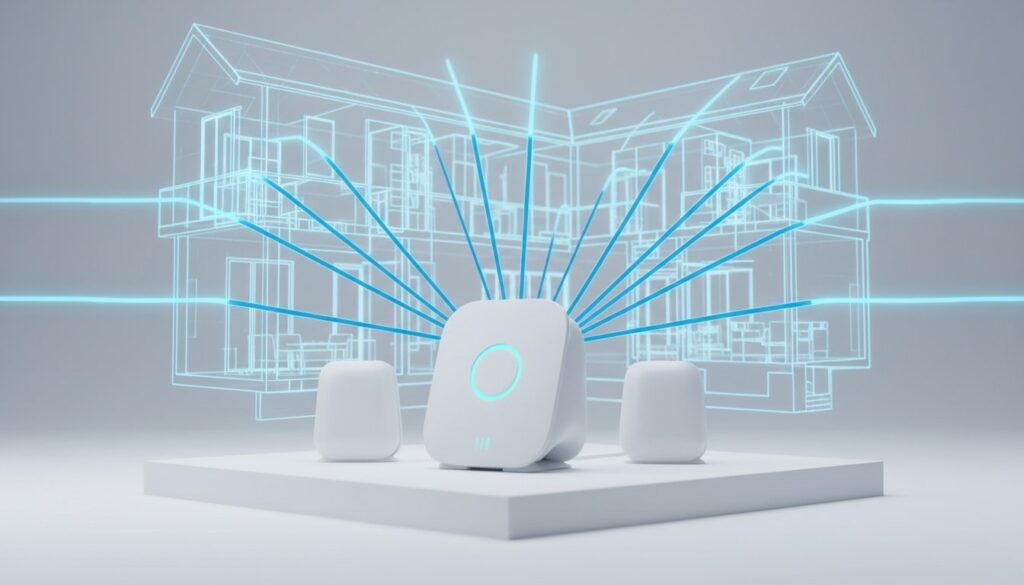
You just settled into your home office at the far end of the upstairs hallway, but your 2:00 PM video call is already lagging. It’s a common frustration for homeowners with over 2,500 square feet of living space. You shouldn’t have to choose between a quiet workspace and a stable internet connection. Most standard routers provided by ISPs fail to reach through three or more interior walls, often leaving up to 35% of a property in a total digital dark age.
We agree that dead zones in the master bedroom or basement are more than just a minor annoyance; they disrupt your daily productivity and family entertainment. Understanding how to choose a router for a large house is the only way to ensure every floor of your property stays connected. This 2026 guide will teach you how to eliminate buffering during 8K streams and pick a high-coverage system that’s actually easy to install. We’ll break down the real-world differences between Wi-Fi 6, 6E, and 7 so you can select the best hardware for your specific layout.
Key Takeaways
-
Discover how to choose a router for a large house by identifying why the 3,000-square-foot mark is the critical turning point for signal stability.
-
Learn when a distributed mesh system is essential for eliminating dead zones and when a high-power standalone router provides a faster, more budget-friendly solution.
-
Understand why Wi-Fi 7 and Tri-Band technology are the non-negotiable standards for maintaining high-speed connectivity across multiple floors in 2026.
-
Use our 5-step checklist to accurately map your home’s square footage and device density before making a hardware investment.
-
Find out why intuitive mobile apps and easy setup are just as important as raw throughput for managing a complex home network.
Table of Contents
Understanding the Challenges of Wi-Fi in Large Homes
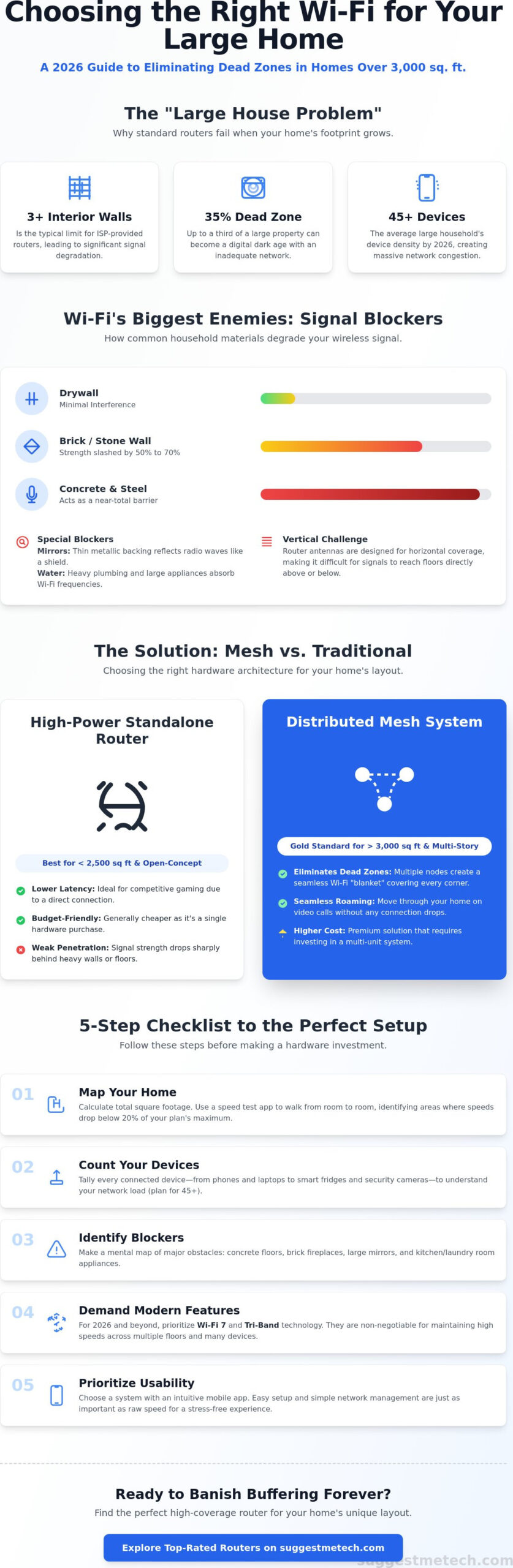
Most homeowners realize their router is failing when a 4K stream buffers in the master bedroom or a Zoom call drops in the home office. This is the "Large House Problem." It isn’t just about total square footage; it’s about signal decay. A standard router typically hits a performance wall at the 3,000 square foot mark. Beyond this threshold, the radio waves lack the power to maintain a stable return path from your device back to the router. Data packets get lost, and your connection feels sluggish despite paying for high speed internet.
Don’t let the signal bars on your smartphone fool you. Those icons often represent signal strength rather than actual data throughput. You might see "full bars" while experiencing crawling speeds because of high latency or interference. By 2026, the average large household manages 45 or more connected devices, from smart fridges to security cameras. This device density creates a digital traffic jam that overwhelms older hardware. Learning how to choose a router for a large house starts with recognizing that your home’s layout is often your Wi-Fi’s biggest enemy.
The Impact of Home Materials on Signal Range
Physical obstacles dictate your network’s reach more than the router’s theoretical max range. A standard drywall partition typically reduces signal by 3dB to 5dB. However, a single brick or stone wall can slash your signal strength by 50% to 70%. Concrete floors with steel reinforcement are even more restrictive; they often act as a barrier that blocks signals entirely.
Bathrooms and kitchens are notorious Wi-Fi killers for two specific reasons: mirrors and water. Mirrors contain a thin metallic backing that reflects radio waves like a shield. Water, found in heavy plumbing and large appliances, absorbs 2.4GHz and 5GHz frequencies. In multi-story homes, the challenge is vertical. Most router antennas are designed to push signals outward on a horizontal plane, meaning very little energy reaches the rooms directly above or below the unit.
Identifying Your Dead Zones
Mapping your home signal doesn’t require expensive tools. You can use a free speed test app to find congestion points where ping times exceed 60ms or download speeds drop below 20% of your plan’s maximum. Walk from room to room, testing near windows and behind heavy furniture to see where the connection falters.
To master how to choose a router for a large house, you must understand signal attenuation. This is the formal term for the gradual loss of signal intensity as it passes through walls or travels over long distances. While the Wi-Fi 6 standard introduced better ways to handle multiple devices, physical distance still degrades speed. Identifying these weak spots now will help you decide if you need a high-power standalone router or a distributed mesh system.
Mesh Systems vs. Traditional Routers: Which Wins for Range?
The primary decision when learning how to choose a router for a large house involves picking between a single powerhouse or a distributed network. A traditional router acts as a single broadcast hub. If you move too far from this center, your speeds tank. Mesh systems solve this by using multiple nodes placed throughout the home. These nodes work together to create a single, unified Wi-Fi blanket that covers every corner, from the basement to the attic. In 2026, the hardware has evolved to make this transition nearly invisible to the user.
When to Choose a Standalone Gaming or High-Power Router
Standalone routers remain the best choice for open-concept homes or properties under 2,500 square feet. These devices often feature high-gain antennas that provide incredible speed in a localized area. They are generally cheaper and easier to set up because you only have one device to plug in. Gamers often prefer them because a single-point connection usually offers lower latency than a multi-node wireless jump. However, signal penetration is a weakness. You will see a sharp drop-off in performance once the signal hits heavy walls or mirrors. For better performance, follow these FCC home network tips regarding router placement and optimization.
Why Mesh Systems are the Gold Standard for Large Estates
Mesh systems are designed for homes where a single router cannot reach. They use a main hub and several satellite nodes to pass the signal along. One of the biggest perks in 2026 is "Seamless Roaming." This technology allows your device to switch between nodes as you walk through the house without losing your connection. It’s a massive upgrade over old-school range extenders that often caused a 50% drop in bandwidth.
-
Wireless vs. Wired Backhaul: While 2026 Wi-Fi 7 mesh systems use a fast 6GHz band for node communication, using a wired Ethernet backhaul can increase speeds by up to 40% in distant rooms.
-
Self-Healing Networks: If a node in the kitchen fails, the system automatically reroutes data through the living room node to keep the rest of the house online.
When considering how to choose a router for a large house, look at the cost-to-performance ratio. A high-end mesh 3-pack might cost $900, but it covers 6,000 square feet with 90% efficiency. A $400 standalone router might only cover 2,200 square feet effectively. If you want to dive deeper into specific hardware, you can find our latest reviews for the current year. The extra investment in mesh hardware usually saves you from the frustration of dead zones in a large estate.
Essential Specs for 2026: Wi-Fi 7, Tri-Band, and Throughput
By 2026, Wi-Fi 7 has moved from a premium niche to the standard requirement for anyone learning how to choose a router for a large house. This technology delivers theoretical speeds up to 46 Gbps, which is roughly 4.8 times faster than Wi-Fi 6. In a large home with 40 or more connected devices, this extra headroom prevents the "bottleneck" effect that happens when everyone tries to stream 8K video or join VR meetings at the same time.
A major factor in signal stability is the frequency bands your router uses. Tri-band routers are the baseline for large properties because they offer a dedicated 6GHz lane. Think of this as a private express lane on a crowded highway. While 2.4GHz and 5GHz bands handle older smart home gear and mobile phones, the 6GHz band remains clear for high-bandwidth tasks. If you’re opting for a mesh system, a quad-band router is even better. It uses a second 5GHz or 6GHz band strictly for "backhaul," which is the internal communication between the router and its satellites.
Two technologies you’ll see on every spec sheet are MU-MIMO and Beamforming. Here is the simple breakdown of why they matter:
-
MU-MIMO (Multiple User, Multiple Input, Multiple Output): This allows the router to talk to multiple devices simultaneously. Without it, the router cycles through devices one by one, causing tiny delays.
-
Beamforming: Instead of broadcasting Wi-Fi in a generic circle, the router identifies where your laptop or phone is and focuses the signal directly toward it. This increases range and helps the signal penetrate thick walls.
Fiber speeds are also climbing. With 10Gbps residential plans now available in over 15% of major metropolitan areas, your hardware must keep up. Future-proofing means choosing a router with a 10G WAN port. If your router is limited to a 1Gbps port, you’re paying for high-speed internet that your home network can’t actually use.
Wi-Fi 6E vs. Wi-Fi 7: Is the Upgrade Worth It?
Wi-Fi 7 introduces 320MHz channels, which are twice as wide as the 160MHz channels found in Wi-Fi 6E. This allows more data to pass through at once. The most significant jump is Multi-Link Operation (MLO). MLO allows a device to send and receive data across different bands at the same time, reducing latency by up to 80%. To take advantage of these speeds, you need devices that support the new standard. You can see which current models are ready in our guide to The Best Laptops of 2026.
Ports and Connectivity for the Modern Home
Physical ports are just as important as wireless speeds. When you’re figuring out how to choose a router for a large house, look for at least two 2.5G or 5G LAN ports. These are essential for connecting gaming consoles or a Network Attached Storage (NAS) system for local backups. Use the USB 3.2 ports on your router to turn a standard external hard drive into a shared family cloud. Finally, prioritize routers with "IoT Isolation" features. This lets you put smart light bulbs and cheap security cameras on a separate, restricted network so they can’t access your primary computers if they are hacked.
A 5-Step Checklist for Choosing Your Large Home Router
Finding the right hardware involves more than just picking the most expensive box on the shelf. To understand how to choose a router for a large house, you must treat your home like a mini-network map. Start by measuring your total square footage, but don’t stop at the interior walls. Include the garage, the basement, and even the patio. Modern smart homes in 2026 often feature outdoor security cameras and smart garage openers that require a stable signal to function properly.
Step 1 & 2: Sizing and Device Capacity
Most high-end mesh systems are designed to cover approximately 1,500 square feet per node. If you live in a 4,500-square-foot home, a three-pack system is your baseline. However, thick materials like brick or plaster can reduce this effective range by 20 percent or more. Always buy one more node than you think you need to account for signal degradation through walls.
Capacity is just as vital as coverage. Count every 4K/8K TV, gaming console, and PC in your household. If your device list exceeds 50 items, your router needs a robust CPU, specifically a quad-core processor clocked at 2.0GHz or higher. This hardware handles the complex task of directing traffic so your Zoom call doesn’t drop when the kids start a large game download. To ensure the best connection, follow the Rule of Three: place every satellite node so it maintains a direct line of sight with at least two other nodes in the system.
Step 3 & 4: Placement and Budgeting
Avoid the "Basement Trap" where the ISP gateway is tucked away in a corner near the utility pipes. Central placement is non-negotiable. Moving a router from a far corner to the center of the main floor can increase speeds on the second story by up to 40 percent. If you still experience lag on specific mobile devices after optimizing placement, you should clear the cache on your iPhone or tablet to rule out software-side slowdowns.
When budgeting for 2026 tech, look beyond the initial purchase price. Many manufacturers have shifted toward a "hardware-as-a-service" model. You might find a great deal on a router only to realize that advanced security features or parental controls require a monthly subscription fee. These recurring costs can add significant weight to your long-term investment. Check for "Pro" versions that include lifetime security updates without extra fees.
Finally, prioritize routers with app-based management. In 2026, you shouldn’t need a computer to fix your internet. A high-quality app allows you to reboot the system, check for firmware updates, and pause the internet for specific devices directly from your phone. This level of control is essential for managing a large household effectively.
Ready to upgrade your home network? Explore our latest tech reviews to find the perfect match for your floor plan.
The Final Verdict: Making the Right Investment
Deciding how to choose a router for a large house doesn’t have to be a technical headache. The choice usually boils down to your floor plan and your tolerance for setup time. Mesh systems are the gold standard for seamless coverage across 3,000 square feet or more. They use multiple nodes to create a single, unified network. Conversely, a high-powered standalone router is often better for raw speed in homes where the layout is open and the square footage is more modest. Don’t pay for features you won’t use; our philosophy at SuggestMeTech is to buy for the house you have, not the one you want. If you have a 500 Mbps internet plan, a $1,000 Wi-Fi 7 system is overkill.
User experience is just as vital as hardware specs. Look for brands that offer intuitive mobile apps. Modern systems from manufacturers like TP-Link or Eero allow you to manage guest access, set parental controls, and run speed tests directly from your phone. You should be able to see every device on your network and kick off intruders with a single tap. If the interface looks like it was designed in 1995, keep looking.
Top Recommendations for Different Large Home Layouts
The "Long Ranch" Layout: Linear homes are notorious for signal drop-off. A three-node mesh system is the best solution here. Place the nodes in a straight line, roughly 30 feet apart, to ensure the signal "hops" from the living room to the furthest bedroom without losing more than 10% of its original speed.
The "Three-Story" Mansion: Vertical signal penetration is a challenge because flooring often contains dense materials that block radio waves. For these layouts, place the primary router on the middle floor. This allows the signal to radiate both up and down, covering the attic and the basement more effectively than a ground-floor setup.
The "Smart Home" Power User: If your household runs 60 or more devices, including cameras, smart lights, and thermostats, you need a Quad-band router. These systems provide a dedicated frequency band for high-traffic tasks, ensuring your 4K video calls don’t stutter when the security cameras start uploading footage to the cloud.
Setting Up for Success
When you finally decide how to choose a router for a large house and bring it home, the first 60 minutes are the most important. Follow these three steps immediately after unboxing:
-
Centralize the hub: Place the router in an open area, not inside a cabinet or behind a TV.
-
Secure the admin panel: Change the default "admin" password to a unique 12-character string to prevent unauthorized access.
-
Update the firmware: Manufacturers release security patches every 30 to 90 days. Running an update immediately ensures you’re protected against the latest network vulnerabilities.
If you’re building out a dedicated home office as part of your new network setup, you might find our guide on how to start a blog helpful for optimizing your connectivity for professional use. For more specific hardware evaluations, head over to our "Editor’s Pick" section to see our latest lab-tested reviews.
Upgrade to a Seamless Whole-Home Connection
Your home’s connectivity in 2026 depends on more than just high numbers on a retail box. You need a system that specifically handles the physical barriers of multi-story living. We’ve found that Wi-Fi 7 mesh systems are now the gold standard for properties exceeding 3,000 square feet. These systems utilize 320 MHz channels to deliver stable speeds even when you’re three rooms away from the primary node. Our team performed real-world range testing in 5,000 square foot multi-story homes to ensure these recommendations hold up under pressure.
Learning how to choose a router for a large house requires looking at tri-band support and verified lab-tested throughput data rather than marketing fluff. We’ve stripped away the jargon to give you no-nonsense technical breakdowns of the hardware that actually works. You don’t have to settle for dead zones or buffering in the upstairs bedroom anymore. Check out our Editor’s Picks for the Best Routers of 2026 to find the perfect fit for your specific floor plan. You’re just one smart upgrade away from a faster, more reliable digital life.
Frequently Asked Questions
Do I really need a mesh system for a 2,500 square foot house?
A mesh system is usually necessary for a 2,500 square foot home because physical barriers like drywall and brick reduce signal strength by 50 percent or more over distance. While a high-end standalone router might reach the edges, you’ll likely experience dead zones in the furthest rooms. A two-node system ensures you maintain 100 percent signal coverage across all floors and corners.
Will a new router make my internet provider faster?
A new router won’t increase the bandwidth you pay for from your ISP, but it will ensure you actually receive those speeds on your devices. If you pay for a 1 Gbps plan but use a 2020-era Wi-Fi 5 router, your wireless speeds might top out at 400 Mbps. Upgrading to a Wi-Fi 6 or 7 model allows your hardware to handle the full capacity of your fiber connection.
What is the difference between a Wi-Fi extender and a mesh node?
Wi-Fi extenders repeat a signal by creating a separate network name, while mesh nodes work together to create a single, unified network. Extenders typically cut your available bandwidth by 50 percent because they use the same channel to receive and retransmit data. Understanding this distinction is vital when learning how to choose a router for a large house with multiple heavy users.
Can I mix and match different router brands in a mesh network?
You generally can’t mix different brands unless the hardware supports the Wi-Fi Alliance’s EasyMesh standard, which is only found in about 15 percent of consumer models. Most brands, like Eero, Nest, or Orbi, use proprietary software that prevents them from communicating with competitors. For the best performance, stick to a single ecosystem to ensure features like seamless roaming work without dropping your connection.
How many nodes are too many for a large house?
Using more than three nodes in a 3,000 square foot home is often counterproductive because it creates signal overlap and interference. When nodes are placed less than 20 feet apart, your devices might struggle to decide which one to connect to, causing frequent hand-off delays. Most experts recommend one node for every 1,500 square feet of space to maintain a clean, efficient signal.
Is Wi-Fi 7 backwards compatible with my older devices?
Wi-Fi 7 is fully backwards compatible with older devices using Wi-Fi 6, 5, or even 4 standards. Your 2018 laptop or 2021 smartphone will connect just fine, though they won’t benefit from the 46 Gbps theoretical peak speeds of the new standard. Investing in a Wi-Fi 7 router now future-proofs your home for the 20 percent increase in connected devices expected in households by 2027.
Does the router placement really matter if I have a mesh system?
Placement remains vital because the nodes must communicate with each other to pass data back to the main router. If you place a node in a dead zone where the signal is already weak, it can’t magically boost a poor connection. Position your primary unit in a central location and place secondary nodes no more than two rooms away to ensure a strong 5 GHz backhaul link.
How often should I replace my home router?
You should replace your home router every 3 to 5 years to keep up with security patches and evolving wireless standards. By 2026, many older routers will lack the WPA3 encryption required for modern security. Knowing how to choose a router for a large house involves checking if your current hardware can handle the 4K streaming and smart home traffic that has tripled since 2022.