
If you recently tried to manage your website and were surprised to find yourself on Squarespace, you are not alone. For years, Google Domains was praised for its simple interface and transparent, no-fuss pricing. In a major industry shake-up, Google sold its entire domain registration business to Squarespace, leaving millions of users confused about where their online assets now live and what this change means for them.
This sudden shift raises critical questions: Are my domains secure? Is Squarespace more complicated or expensive? And what are my options if I want that straightforward experience back? In this complete guide, we’ll demystify the entire process. We will show you exactly how to access and manage your migrated domains, weigh the pros and cons of staying put, and review the best alternatives to help you find a new, trustworthy home for your website’s address. Let’s get you back in control.
What Was Google Domains & Why Was It So Popular?
For nearly a decade, Google Domains was a go-to choice for anyone needing to register a website address. Launched in 2014, its mission was refreshingly simple: to make the process of buying and managing a domain name straightforward and transparent. Unlike many competitors known for cluttered interfaces and aggressive upselling, it offered a clean, ad-free experience that focused purely on the task at hand. This no-nonsense approach, detailed in the history of Google Domains, quickly earned it a loyal following. It wasn’t just another service; for many, it was the best, most user-friendly way to claim a corner of the internet.
The Key Features That Won Users Over
The popularity of google domains wasn’t an accident. It was built on a foundation of user-centric features that solved common frustrations with other registrars.
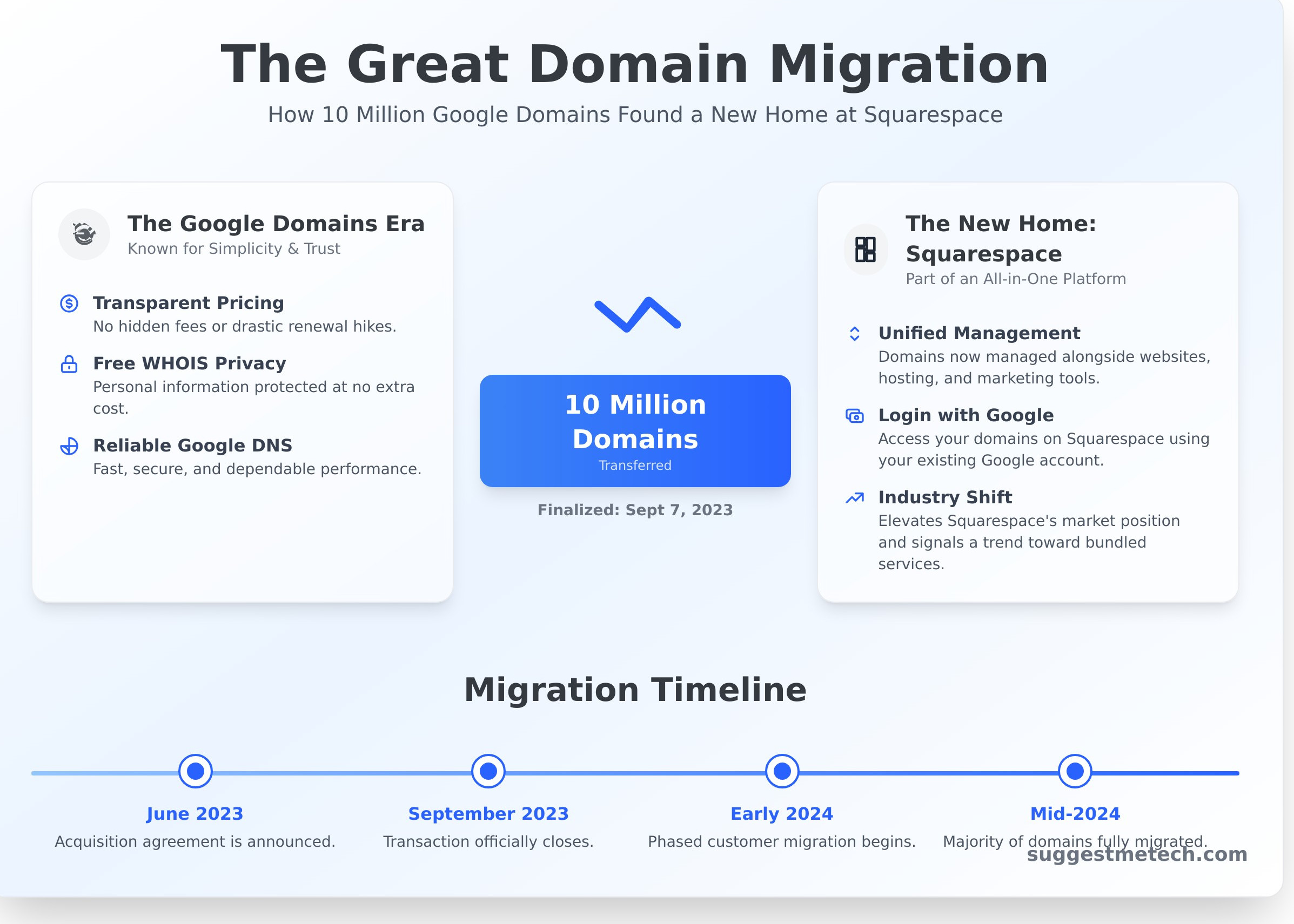
- Transparent, Flat-Rate Pricing: What you saw was what you paid. There were no low introductory offers followed by shocking renewal hikes, making budgeting predictable and fair.
- Free WHOIS Privacy: While many registrars charged extra to protect your personal information from public view, Google included it for free with every domain, a huge value-add for privacy-conscious users.
- Simple Google Integration: Connecting a domain to services like Google Workspace for a professional email address (e.g., you@yourcompany.com) or to Google Cloud Platform was a seamless, one-click process.
- Reliable Google DNS: Every domain used Google’s own world-class DNS infrastructure, ensuring fast, secure, and dependable performance at no extra cost.
Who Was the Ideal Google Domains User?
The service’s clean design and straightforward value proposition appealed to a specific set of users who prioritized simplicity and efficiency over flashy promotions.
- Small Business Owners: Entrepreneurs could quickly secure a professional domain and set up a custom email address through Google Workspace without navigating a complex dashboard or fending off constant upsells.
- Developers & Tech-Savvy Individuals: This group valued the clean, functional user interface. It was a tool built for people who knew what they wanted and didn’t need distracting marketing to get it done.
- Startups & Freelancers: With predictable, all-inclusive costs, startups and solopreneurs could easily manage their expenses without worrying about hidden fees for essential services like privacy protection.
The Acquisition: Google Domains is Now Part of Squarespace
In a significant shift for the domain industry, Google has sold its entire google domains business to Squarespace, the popular website builder. The deal, which was officially finalized on September 7, 2023, included the transfer of approximately 10 million domain names and all associated customer accounts. This move allows Google to streamline its operations and focus more intensely on its core cloud and enterprise services. For users, this meant their domain management was moving to a new home, a process governed by regulations like ICANN’s official domain name transfer policy to ensure a secure transition.
The Migration Timeline: How It Happened
The transition from Google to Squarespace didn’t happen overnight. It was a carefully planned process that unfolded over several months to ensure stability for customers. Here’s a quick breakdown of the key milestones:
- June 2023: The initial agreement for the sale was announced, signaling the end of Google’s run as a domain registrar.
- September 2023: The transaction officially closed, making Squarespace the new owner of all Google Domains assets.
- Early 2024: Squarespace began the phased migration, moving customer domains to its own infrastructure in managed batches.
- Mid-2024: The majority of domains are now fully migrated and managed directly through the Squarespace Domains interface.
What This Means for the Domain Industry
Google’s exit and Squarespace’s expansion have sent ripples through the market. First, it removes a major, trusted player known for its simple, transparent pricing. This consolidation instantly elevates Squarespace to one of the largest domain registrars by volume. More broadly, this acquisition raises questions about the future of standalone domain registration. The trend is clearly moving toward all-in-one platforms where domains are bundled with hosting, website builders, and marketing tools, potentially making simple, a-la-carte domain services a thing of the past.
A Guide for Former Google Domains Customers
If you were a customer of google domains, your primary concern is likely the safety and accessibility of your domain names. The good news is that your domains are secure. As part of the acquisition, Squarespace automatically migrated all customer accounts, and no immediate action was required from you to keep your domains active during the transition.
Your websites, email, and other services connected to your domains continued to function without interruption. Now, all management tasks, from DNS updates to renewals, are handled through the Squarespace platform. Here’s a practical guide to navigating the new system.
How to Log In and Manage Your Domains on Squarespace
Accessing your domains is straightforward. You can now manage everything through the Squarespace Domains dashboard, which has replaced the familiar Google interface. The process is simple:
- Log In with Google: Navigate to the Squarespace login page. You don’t need a new account; simply choose the “Continue with Google” option and use the same Google account you used for your domains previously.
- Navigate the Dashboard: Once logged in, you’ll see a list of your domains. From here, you can click on any individual domain to access its settings.
- Find Key Settings: Your core management tools are easy to find. Look for sections labeled “DNS Settings” to manage A, CNAME, and MX records, and check the “Registration” or “Billing” tabs for renewal dates and payment information.
Key Changes in Features, Pricing, and Support
While the core service remains the same, there are a few key adjustments to be aware of now that your domains are managed by Squarespace. Here’s a quick breakdown of what has changed and what has stayed the same.
- Pricing: Squarespace has committed to honoring the renewal prices you had with Google for at least 12 months following the migration of your domain. After this period, prices will align with Squarespace’s standard rates.
- Features: Most of the features you relied on are still available. This includes free WHOIS privacy, email forwarding, and robust DNS management. The primary change is the user interface.
- Customer Support: A significant upgrade for many users is access to Squarespace’s 24/7 customer support. You can now get help via live chat or email anytime, a notable improvement over Google’s more limited support options.
- Interface and Ecosystem: The biggest shift is the dashboard. Your domains are now part of the broader Squarespace ecosystem, making it easy to connect them to a Squarespace website or online store if you choose.
Should You Stay with Squarespace or Transfer Your Domain?
Now that your domain is managed by Squarespace, you’re at a crossroads. The transition happened automatically, but your long-term strategy is up to you. Should you embrace the new platform or move your domain to a different registrar? There’s no single right answer-it depends entirely on your needs, budget, and technical preferences. Let’s break down the pros and cons of each path to help you make an informed decision.
Reasons to Stay with Squarespace
For many former google domains users, sticking with Squarespace is the most practical choice. It’s a well-regarded company, and the migration was designed to be seamless. Here’s why staying put might be your best move:
- Ultimate Convenience: Your domain is already there. Sticking with Squarespace means you don’t have to do anything, avoiding the technical steps of a domain transfer.
- All-in-One Platform: If you’re considering building a new website or already use Squarespace’s services, having your domain and site under one roof simplifies billing and management.
- Reputable Company: Squarespace is a major player in the web services industry with a long track record and robust customer support.
- Honored Pricing (For Now): Squarespace has committed to honoring the renewal prices for all migrated customers for at least 12 months from the transfer.
Reasons to Transfer to a New Registrar
While Squarespace is an excellent platform, its focus on website building isn’t for everyone. Many users appreciated the simple, no-frills approach of Google Domains. You might consider transferring if:
- You Prefer Simplicity: If you just want a place to manage domain names without the constant upsell for website builders, a dedicated registrar is a better fit.
- Long-Term Cost: After the initial price-lock period, other registrars may offer more competitive pricing for domain renewals and privacy protection.
- Need for Specific Features: Some users require advanced DNS management, bulk domain tools, or other features that are more common at specialized registrars.
- Familiar User Interface: You may simply prefer the clean, minimalist workflow you were used to and want a registrar that offers a similar user experience.
Ultimately, the decision comes down to what you value most. If you prioritize convenience and an integrated ecosystem, staying with Squarespace is a solid choice. However, if you’re looking for a dedicated domain manager with potentially lower long-term costs, transferring is the right call.
If you decide to transfer your domain, you’ll also need a great place to point it. Pairing your domain with the right web host is critical for performance and reliability. To find the perfect match for your project, see our complete guide to the Best Web Hosting Providers for a detailed comparison of today’s top options.
The 3 Best Google Domains Alternatives for 2024
If you miss the clean interface and straightforward pricing of the original google domains service, you’re not alone. The good news is that several other registrars offer a similar, no-nonsense experience. We’ve selected the best alternatives based on three core principles that made Google’s service so popular: transparent pricing, a user-friendly interface, and free WHOIS privacy included with every domain.
Here’s a quick comparison of our top picks before we dive into the details:
- Cloudflare: Best for performance-focused users who want wholesale pricing.
- Porkbun: Best for budget-conscious buyers seeking the lowest prices.
- Namecheap: Best all-around option for beginners needing ease of use and support.
1. Cloudflare Registrar: Best for Security and Performance
Cloudflare takes a unique approach by selling domains at their wholesale cost, meaning they don’t add any markup. You pay exactly what they pay. This model is paired with their world-class DNS and security infrastructure, giving your domain an immediate performance and safety boost.
- Pros: At-cost pricing, best-in-class DNS speed, robust security features (like DDoS mitigation), and free WHOIS privacy.
- Cons: You are required to use Cloudflare’s nameservers, which can present a learning curve for those unfamiliar with DNS management.
- Best for: Tech-savvy individuals and businesses who prioritize security and site performance above all else.
Explore domains on Cloudflare Registrar →
2. Porkbun: Best for Low Prices and Great Features
Don’t let the quirky name fool you; Porkbun is a serious contender known for its highly competitive and consistently low prices on both registration and renewals. It bundles an impressive number of free features with every domain, offering incredible value for the cost.
- Pros: Extremely low and transparent pricing, free WHOIS privacy, free email forwarding, and a free SSL certificate.
- Cons: While functional, its user interface isn’t as polished or streamlined as what former google domains users might be used to.
- Best for: Anyone looking to save money without sacrificing essential features, from hobbyists to small businesses.
3. Namecheap: Best All-Around Choice for Beginners
Namecheap has built a reputation as one of the most popular registrars in the world by offering a balanced and accessible service. It strikes a great compromise between affordable pricing, a straightforward management dashboard, and reliable customer support, making it an ideal starting point.
- Pros: An easy-to-navigate interface, frequent sales and promotions, free basic WHOIS privacy, and helpful 24/7 live chat support.
- Cons: The checkout process often includes more upselling for other services compared to Cloudflare or Porkbun.
- Best for: Beginners, bloggers, and small businesses who want a dependable, easy-to-use platform with strong support.
Your Next Move in a Post-Google Domains World
The closure of google domains and its transition to Squarespace marks a significant change for many website owners. The key takeaway is that you have control. Whether you choose to stay with Squarespace for its integrated platform or transfer to a dedicated registrar, the decision ultimately hinges on your specific needs for pricing, user experience, and bundled services. This transition is an excellent opportunity to re-evaluate what you truly need from a domain provider and ensure you’re getting the best value for your online presence.
Making an informed choice is crucial, and you don’t have to do it alone. For in-depth, unbiased technology reviews and practical guides designed for businesses and individuals, explore our expert reviews on the best tech for your business. Our Editor’s picks for top services can help you navigate these changes with confidence. Armed with the right information, you can ensure your online identity remains secure, stable, and perfectly aligned with your goals for 2024 and beyond.
Frequently Asked Questions About Google Domains
Is Google Domains shutting down completely?
Yes, the Google Domains service is shutting down as a standalone brand. In 2023, Squarespace acquired all domain registrations and related customer accounts from Google. This means that while the platform you used to manage your domain is gone, your domain itself is safe. All management, billing, and support responsibilities have been transferred over to Squarespace, which now acts as your official domain registrar.
Do I have to use Squarespace’s website builder to manage my domain?
No, you are not required to use the Squarespace website builder. Your domain registration is a separate service from website hosting. You can continue to point your domain name to any hosting provider you choose, such as WordPress, Shopify, or a private server. You will simply manage your DNS settings (like A records and CNAMEs) from within your new Squarespace domains dashboard to direct traffic to the correct web host.
Will my Google Workspace email account be affected by the move?
Your core Google Workspace services, including your Gmail, Drive, and Calendar, will not be affected and will continue to be powered by Google. The primary change is administrative. Eventually, Squarespace will take over the billing for your Google Workspace subscription. While the back-end service remains with Google, you will manage your subscription payments through your Squarespace account once that part of the transition is complete.
How do I transfer my domain away from Squarespace to another registrar?
To transfer your domain, you’ll need to follow a standard process. First, log in to your Squarespace account, navigate to your domain’s settings, and unlock it for transfer. Next, you will need to request an authorization code (often called an EPP code). Once you have this code, you can provide it to your new registrar of choice (like Namecheap or GoDaddy) to initiate and approve the transfer from their end.
Did the price of my domain renewal go up after the migration?
Squarespace has committed to honoring the same renewal price you had with Google Domains for at least 12 months after your account was migrated. Once that initial period is over, the renewal price will likely change to match Squarespace’s standard rates for that specific domain extension (e.g., .com, .net). It is a good idea to check your domain’s renewal date and review Squarespace’s current pricing to plan accordingly.
Is Squarespace a good domain registrar?
Squarespace is a reputable and reliable ICANN-accredited registrar, making it a solid option for managing your domains. Its primary strength is the seamless integration with its own website builder platform. However, its pricing for domain renewals may be higher than some budget-focused registrars. For users prioritizing the lowest cost or specific advanced features, other providers may be more competitive, but Squarespace offers a secure and user-friendly experience.