
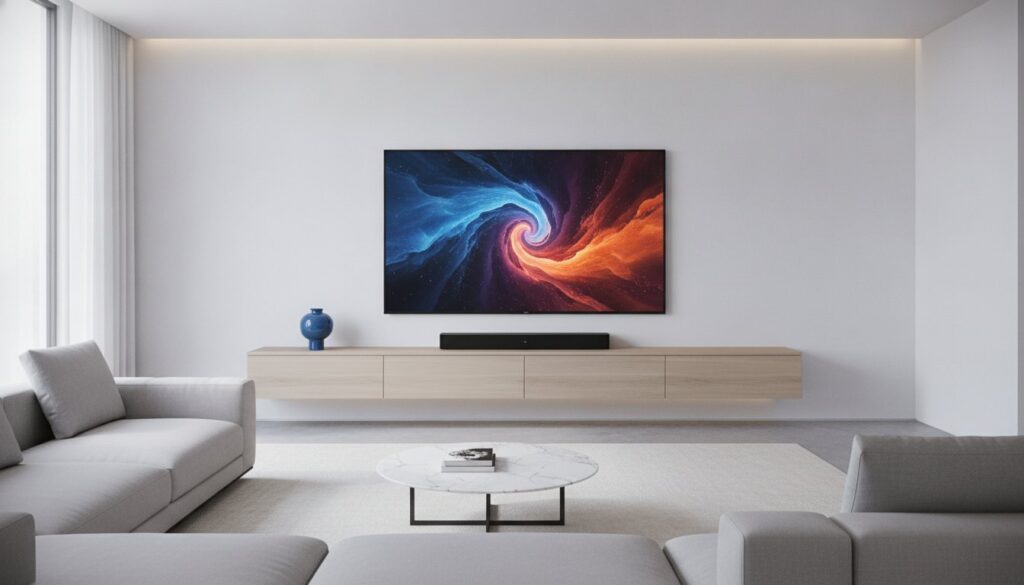
Your ultra-thin 4K TV is physically incapable of producing high-quality sound, no matter how much you paid for it. It’s a frustrating reality many homeowners face when they realize that as screens get thinner, the speakers inside get smaller and weaker. You’ve likely spent your evenings constantly adjusting the volume because the explosions are deafening while the dialogue remains a muffled mess. If you’re wondering, “do i need a soundbar for my tv” just to hear what the characters are saying, you aren’t alone.
We agree that you shouldn’t need a degree in audio engineering to enjoy a movie at home. This guide will show you how to determine if a soundbar is the right investment for your space by breaking down the physics of modern audio and your specific lifestyle needs. We will explore how different setups, from the budget-friendly Zvox AV120 to the immersive 11.1.4-channel Samsung HW-Q990F, can transform your viewing experience. By the end, you’ll know exactly how to achieve crystal clear dialogue and a cinematic feel with a simple setup that still works with your existing remote.
Key Takeaways
- Understand why modern razor-thin TVs physically cannot produce deep or clear sound, which often leads to muffled dialogue and inconsistent volume.
- Evaluate your specific viewing habits and room layout to answer the question, “do i need a soundbar for my tv,” or if your current setup is sufficient.
- Learn how a dedicated center channel within a soundbar eliminates the need for subtitles by isolating and enhancing human speech.
- Compare the cost and complexity of soundbars against full home cinema systems to find a balance between high-fidelity audio and a clutter-free living room.
- Identify the essential features for 2026, including HDMI eARC and Wi-Fi, while sticking to a practical budget range of $100 to $300.
The Physics of Thin TVs: Why Modern Audio Often Sounds Muffled
Sound is a physical medium. To create rich, immersive audio, a speaker must move a specific volume of air. This process requires two things modern televisions lack: surface area for the driver and depth for the enclosure. As manufacturers compete to create the thinnest 4K and 8K displays, they’ve systematically removed the space required for these components. Most modern sets are less than two inches deep. This leaves zero room for a traditional speaker cabinet, which acts as a resonator to give sound its punch and body.
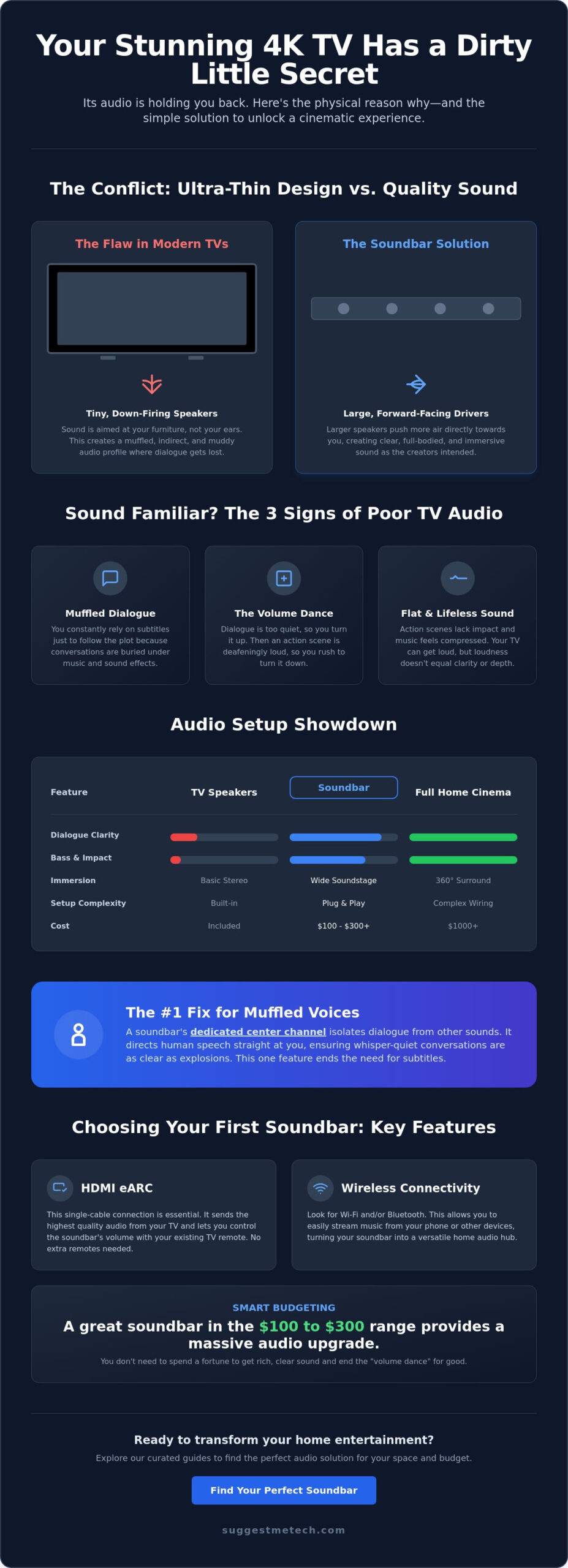
Instead of forward-facing speakers that point toward your ears, manufacturers now rely on down-firing speakers. These are tucked into the bottom edge of the frame, pointing at your TV stand or the floor. The sound waves must bounce off your furniture before they reach you, creating a muddy and indirect audio profile. You might find that your TV can get loud, but loudness isn’t the same as clarity. A screaming child is loud, but that doesn’t mean you can understand their message. Increasing the volume on small, struggling drivers usually increases distortion rather than making the dialogue easier to comprehend. If you’re asking, “do i need a soundbar for my tv,” the answer often lies in these physical limitations.
The Conflict Between Design and Sound Quality
Engineering a screen that is “bezel-less” means there is no front-facing space for audio hardware. Visual technology has advanced at a blistering pace, but the laws of physics regarding sound remain unchanged. To save space, TVs use tiny neodymium magnets that lack the power to move air effectively. Some premium brands attempt to solve this with vibrating screen technology, but even these struggle to match the depth of a dedicated enclosure. Looking at the history of the soundbar, it’s clear these devices were invented specifically to solve this structural compromise. Your TV was designed to look beautiful, not necessarily to sound beautiful.
Dialogue Clarity vs. Background Noise
The most common complaint with internal speakers is the “muffled voice” effect. Human speech sits in the mid-range frequency, but tiny TV speakers often mash these frequencies together with background music and sound effects. This is why you find yourself performing the “volume remote dance.” You turn it up to hear the actors, then scramble to turn it down when an action scene starts. Internal speakers lack the physical separation needed to keep these sounds distinct. Without dedicated drivers for different frequency ranges, your audio will always feel flat and compressed. If you frequently use subtitles just to follow the plot, you’ve already identified why you might need an external solution.
How a Soundbar Actually Solves the Audio Problem
If you’ve been asking yourself, “do i need a soundbar for my tv,” understanding the hardware is the first step toward a better experience. Unlike the tiny, cramped drivers hidden inside your display, a soundbar provides the physical room needed for high-quality components. By moving the audio source outside the TV chassis, you gain access to larger drivers that can push more air. This creates a fuller, more natural sound that internal speakers simply can’t replicate due to their size. Understanding how soundbars work reveals that their elongated shape isn’t just for style; it allows for a wider soundstage. This physical width creates true stereo separation, making you feel like the action is happening across your room rather than just inside a box.
A soundbar also introduces a dedicated subwoofer into the mix. Most modern sets, like the Vizio 2.1 SV210M, include a wireless subwoofer that handles the low-end frequencies. This “thump” gives movies a cinematic weight that you can actually feel. When your TV speakers try to produce bass, they often rattle the plastic casing of the set. A dedicated subwoofer handles these heavy lifting tasks, leaving the main bar free to focus on clear mids and highs. If you’re overwhelmed by technical specs, our curated audio guides simplify the selection process by matching hardware to your specific room size.
The Power of the Dedicated Center Channel
The most significant upgrade in a 3.1 channel system is the center channel. In a standard TV setup, dialogue is mixed into the left and right speakers, where it gets lost behind loud music and sound effects. A soundbar with a dedicated center channel isolates human speech, directing it straight at the listener. This physical separation is far more effective than the digital “voice enhancement” modes found in TV menus. It ensures that whisper-quiet conversations remain audible even during intense action sequences, effectively ending your reliance on subtitles.
Virtual Surround Sound and Dolby Atmos
By 2026, even budget-friendly soundbars have mastered the art of “tricking” the ear. Many modern units use upward-firing drivers that bounce sound off your ceiling to create height channels. This technology, combined with advanced virtualization, simulates a full 5.1 or 7.1 surround setup without the need for wires running across your floor. New standards like Dolby Atmos FlexConnect allow for even more flexibility, automatically calibrating the sound based on where you place your speakers. This level of immersion is the primary reason why the answer to “do i need a soundbar for my tv” is increasingly a resounding yes for movie enthusiasts.
Soundbar vs. TV Speakers vs. Full Home Cinema
Choosing the right audio setup involves balancing performance against the reality of your living space. Internal TV speakers are the baseline, costing nothing and requiring zero setup, but they offer the weakest experience. On the other end of the spectrum, a full home cinema system with a dedicated receiver and five or more speakers provides elite immersion. However, these systems are expensive and require running wires across your room. Soundbars occupy the “sweet spot” for most users, providing a massive audio upgrade with a five-minute installation process.
The “Partner Acceptance Factor” is a genuine consideration for shared living spaces. Most people don’t want black speaker cables snaking along their baseboards or bulky satellite speakers taking up corner space. A soundbar offers a sleek, single-unit solution that sits quietly under your screen. Understanding the internal components of a soundbar, like integrated amplifiers and digital signal processors, helps explain how they replace a cabinet full of traditional audio gear. When you’re weighing the question, “do i need a soundbar for my tv,” you’re often choosing between a cluttered room and a streamlined one.
The Ease of Use Factor: HDMI eARC
Modern soundbars are designed to be “invisible” to the user once they’re plugged in. By using a single HDMI eARC (Enhanced Audio Return Channel) cable, your TV and soundbar communicate directly. This means your existing TV remote controls the soundbar volume automatically. You don’t need to juggle multiple controllers or worry about complex power-on sequences. It’s a “set it and forget it” experience that makes a 2.1 or 3.1 soundbar far more approachable than a traditional 5.1 receiver setup for casual viewers.
When to Choose a Full Surround System Instead
There are still scenarios where a soundbar might not be enough. If you have a dedicated media room or a very large, open-concept living area with vaulted ceilings, the sound from a single bar may get “swallowed” by the space. Virtual surround sound has limits; it can’t perfectly replicate the feeling of sound coming from behind you if there are no walls for the audio to bounce off. Audiophiles who want perfect channel separation and the ability to upgrade individual speakers over time will still find better value in a traditional wired system. If you’re building a true basement theater, the answer to “do i need a soundbar for my tv” might actually be no, you need a full speaker array.
5 Signs You Definitely Need a Soundbar in 2026
Identifying whether you need an upgrade depends on your specific viewing habits and your living room’s layout. While some viewers are content with basic news broadcasts, movie enthusiasts and gamers often find internal speakers lacking. Use the following checklist to evaluate your current setup and determine: do i need a soundbar for my tv?
- You rely on subtitles: If you find yourself turning on captions just to catch a plot point, your TV’s audio processing is failing to separate dialogue from background noise.
- Your room has high ceilings or an open floor plan: Large spaces swallow sound waves. If you sit more than 10 feet away from your screen, tiny internal drivers cannot maintain clarity at that distance.
- You use your TV for music or gaming: Internal speakers lack the frequency range for high-fidelity music. Gamers also miss critical directional cues that external systems provide.
- You own a high-end OLED or QLED: It is a mismatch to pair a $2,000 display with $10 speakers. Your audio should match the premium quality of your visuals.
- You want a cinematic feel without the clutter: If you want deep bass and immersive sound but refuse to run wires across your floor, a soundbar is the logical solution.
If you’ve checked off more than two of these signs, it’s time to look at an upgrade. You can explore our latest soundbar reviews and guides to find a model that fits your specific budget and room size.
Acoustics and Room Layout Considerations
Your room’s physical characteristics dictate how sound travels. Hard surfaces like hardwood floors, large windows, or glass coffee tables reflect sound waves, which creates echoes that muddy the audio. Internal TV speakers, which often fire downward, struggle in these environments. Modern soundbars solve this with “Room Calibration” technology. Systems like the 2026 Samsung flagship or the Sonos Arc use built-in microphones to measure how sound bounces off your walls, automatically adjusting the output to ensure dialogue remains sharp regardless of your furniture placement.
Content Matching: Movies, Sports, and Games
Choosing Your First Soundbar: A SuggestMeTech Framework
Deciding on an upgrade is only half the battle. Once you’ve answered “do i need a soundbar for my tv” with a yes, you must navigate a crowded market filled with confusing technical jargon. For most people, the $100 to $300 range represents the ideal starting point. At this price, you move beyond the “budget” tier and into hardware that offers a transformative experience. While you can find ultra-cheap options for under $50, these often lack the processing power and driver quality to actually outperform your TV’s internal speakers. Investing in a reputable entry-level model ensures you get a dedicated center channel and better material quality.
Your choice should also depend on your room’s physical constraints. If you live in a small apartment, a “solo” soundbar with built-in bass ports might be better than a system with a bulky external subwoofer. Conversely, if you have the floor space, a 2.1 system like the Vizio SV210M includes a wireless subwoofer that adds the cinematic depth discussed in earlier sections. Always consider whether your TV brand offers specific ecosystem benefits. Some manufacturers allow their soundbars and TV speakers to work in tandem, though this is rarely a reason to ignore a better-performing bar from a different brand.
The “Invisible” Setup: Integration and Control
A soundbar should simplify your life, not complicate it. Before buying, check the back of your TV for an HDMI port labeled “ARC” or “eARC.” This is the most critical feature for 2026. It allows your TV to send high-quality audio back to the bar while letting you use your standard remote for volume control. While Bluetooth 5.x is great for playing music from your phone, look for a soundbar with Wi-Fi connectivity for home use. Wi-Fi provides higher bandwidth and won’t drop the connection if you take a phone call in another room. If you find that even a soundbar is too loud for your living situation, you might consider the SuggestMeTech Headphones Guide for high-fidelity private listening alternatives.
Setting Your 2026 Tech Budget
Upgrade Your Home Audio Experience
Modern display technology is breathtaking, but the built-in audio experience often lags behind. The physical limitations of razor-thin screens mean you’re likely missing out on critical dialogue and cinematic depth. By adding a soundbar, you gain dedicated drivers and center channels that restore the clarity your favorite movies and games deserve. Whether you choose a compact 2.1 system or a premium Dolby Atmos setup, the improvement is immediate and undeniable.
Deciding do i need a soundbar for my tv comes down to how much you value your entertainment. You don’t have to settle for muffled voices or inconsistent volume levels. Our 2026 Expert Audio Analysis provides no-jargon technical explanations to help you make a confident choice. For user-first practical advice tailored to your specific living space, Join the SuggestMeTech community for more tailored tech recommendations! We’re excited to help you build a home theater setup that actually works for you. Enjoy your new, crystal-clear soundscape.
Frequently Asked Questions
Do I need a soundbar if I have a high-end OLED TV?
Yes, because even the best OLED TVs are limited by their thin design. While flagship sets have better internal speakers than budget models, they still lack the physical depth to move enough air for deep bass or clear mid-range audio. If you have invested in a premium 4K or 8K display, adding a soundbar ensures the audio quality matches the high-end visuals for a truly cinematic experience.
Can I use my TV remote to control a soundbar?
You can absolutely use your existing TV remote if you connect the soundbar via HDMI ARC or eARC. This connection uses a protocol called HDMI-CEC to sync your devices automatically. Once you plug it in, your TV remote will control the volume and power the soundbar on or off. This keeps your setup simple and prevents the need for multiple controllers on your coffee table.
Is a soundbar better than a 5.1 surround sound system?
A soundbar is better for ease of use and aesthetics, but a 5.1 system offers superior immersion. If you want a five-minute installation with no wires running across your floor, a soundbar is the ideal choice. However, if you have a dedicated media room and want sound physically coming from behind you, a wired 5.1 system is the better performance option. When asking do i need a soundbar for my tv, consider your tolerance for clutter.
Will a soundbar work with any TV brand?
Soundbars are universally compatible with any TV brand as long as the ports match. Most televisions manufactured in the last decade include an HDMI ARC, eARC, or Optical port, which are the industry standards for audio. You don’t need to match a Samsung bar with a Samsung TV. While some brands offer minor “ecosystem” perks for matching hardware, the core audio functionality works perfectly across different manufacturers.
Do I need a separate subwoofer with my soundbar?
You don’t strictly need one, but a separate subwoofer is essential for that cinematic “thump.” Solo soundbars use internal bass ports to save space, which works well for news and dialogue in small rooms. However, for movies and gaming, a dedicated subwoofer handles low-frequency effects that a small bar cannot replicate. Many modern 2.1 systems include a wireless subwoofer that only requires a power outlet, making it easy to hide.
How do I connect a soundbar to my TV for the best quality?
The best connection method is using an HDMI cable plugged into the HDMI eARC port on both devices. This allows for the highest bandwidth and supports uncompressed audio formats like Dolby Atmos. If your TV is an older model without HDMI, your next best option is an Optical (Toslink) cable. While reliable, Optical cables cannot carry the high-resolution data required for modern 3D surround sound features.
Is it worth getting a soundbar for a small bedroom?
It is definitely worth it because dialogue clarity is often a major issue in smaller rooms with hard surfaces. You don’t need a large, expensive system for a bedroom; a compact solo bar can significantly improve vocal clarity without taking up much space. This is especially useful for late-night viewing, as it allows you to hear the actors clearly at lower volumes without waking others in the house.
What is the difference between HDMI ARC and eARC?
The main difference is the amount of data the cable can carry. HDMI ARC (Audio Return Channel) supports basic compressed surround sound, while HDMI eARC (Enhanced Audio Return Channel) has much higher bandwidth for lossless audio like Dolby Atmos. If you’re trying to determine do i need a soundbar for my tv to play the latest high-definition formats, ensure both your TV and soundbar support the eARC standard for the best results.

