

The best podcast hosting platforms aren’t necessarily the ones with the longest feature lists. A host that works well for a new weekly show may become a poor fit when you add video, launch a second podcast, or start earning revenue. Compare what each platform includes with how you actually plan to publish, rather than relying on headline rankings.
Your choice affects how you publish episodes, distribute them, understand your audience, and manage monetization. This guide compares leading platforms by those practical factors, explains the trade-offs, and identifies who each option suits. You’ll also see which plan limits could affect your show as it grows, so you can choose for your current workflow without overlooking what comes next.
Quick Answer
The best podcast hosting platforms depend on your show’s format, publishing routine, audience goals, and budget. Compare distribution tools, analytics, monetization options, workflow, and plan limits. Choose a host that supports the way you publish now, with enough capacity and features to accommodate your next step without adding tools you won’t use.
Key Takeaways
- Compare the best podcast hosting platforms by workflow, growth needs, and trade-offs rather than relying on a universal ranking.
- Learn how an RSS feed connects your hosted episodes with podcast directories.
- Identify plan limits that can affect analytics, monetization, distribution, and control.
- Match a host’s features to your format, publishing cadence, and number of shows or collaborators.
- Use a practical selection process and plan what to do before switching hosts.
How to judge the best podcast hosting platforms for your show
Podcast hosting is a service that stores your episode audio and makes it available online for listeners. It also creates an RSS feed, a regularly updated file containing your show and episode details. Podcast directories use that feed to display episodes in listening apps, so you can publish from one host instead of uploading audio separately to each directory.
That core function is the starting point, not the whole decision. The best podcast hosting platforms for your show should also fit your publishing routine, provide useful information about listeners, and support the features you actually plan to use.
What does a podcast hosting platform actually do?
Think of the host as the home for your audio files and episode information. When you publish an episode, the platform stores the audio and updates your RSS feed with details such as the title, description, and file location. A directory such as Apple Podcasts or Spotify reads that feed so listeners can find and play the episode. Directories help people discover shows; they don’t store your master audio.
For example, you upload an interview to your host once. The updated feed lets multiple listening apps display the new episode, rather than requiring a separate audio upload for each app. For broader background on the medium, see What is a podcast?
Which features matter before you launch?
Start with dependable publishing and clear episode management. You should be able to add episode details, schedule or publish an episode, and find the right file or settings without unnecessary friction. Analytics can help you understand how episodes perform, though the available metrics and reporting depth vary by platform and plan.
Separate what you need to launch from what might help later. Storage, bandwidth, and episode limits affect whether a plan can accommodate your audio and publishing pace. Video hosting, paid subscriptions, advertising tools, and team permissions matter if they match your format or workflow.
Set your comparison criteria before reviewing providers:
- Publishing: Can you upload, schedule, and manage episodes in a way that fits your release routine?
- Capacity: Do the storage, bandwidth, and upload limits suit your episode length and production volume?
- Audience insight: Are the analytics useful for decisions such as comparing episode performance?
- Growth features: Do you need video, monetization options, private episodes, or collaborator access now or soon?
- Practical fit: Are routine tasks manageable, and can the plan accommodate changes to your show?
Mark each item as essential, useful later, or unnecessary. A solo host publishing a short weekly audio show may prioritize straightforward uploads and manageable limits. A team releasing video episodes may place more weight on video support and collaborator access. This shortlist makes comparisons more useful than counting features.
Best podcast hosting platforms compared by strengths and trade-offs
The best podcast hosting platforms differ less in their basic ability to publish episodes than in how they support your workflow, audience goals, and plans for growth. The comparison below focuses on four providers listed in Apple’s directory: Buzzsprout, Podbean, Captivate, and Transistor.
Use these as candidates, not automatic recommendations. As Understanding podcast hosting platforms suggests, this is a varied category. Compare the features you’ll use with plan limits and the ease of completing your regular tasks.
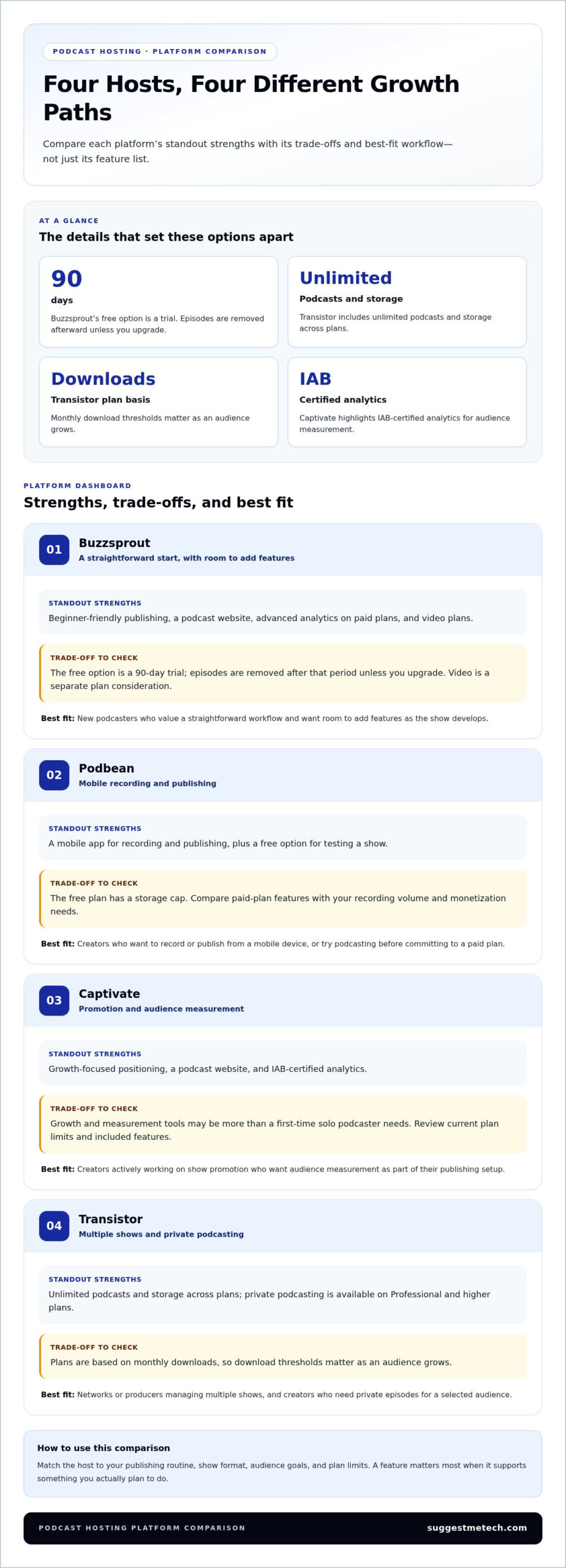
| Provider | Standout strengths | Limitations and trade-offs | Best-fit creator |
|---|---|---|---|
| Buzzsprout | Beginner-friendly publishing, a podcast website, advanced analytics on paid plans, and video plans. | The free option is a 90-day trial; episodes are removed after that period unless you upgrade. Video is a separate plan consideration. | New podcasters who value a straightforward workflow and want room to add features as the show develops. |
| Podbean | A mobile app for recording and publishing, plus a free option for testing a show. | The free plan has a storage cap. Compare paid-plan features with your recording volume and monetization needs. | Creators who want to record or publish from a mobile device, or try podcasting before committing to a paid plan. |
| Captivate | Growth-focused positioning, a podcast website, and IAB-certified analytics. | Growth and measurement tools may be more than a first-time solo podcaster needs. Review the current plan limits and included features. | Creators who are actively working on show promotion and want audience measurement as part of their publishing setup. |
| Transistor | Unlimited podcasts and storage across plans; private podcasting is available on Professional and higher plans. | Plans are based on monthly downloads, so download thresholds matter as an audience grows. | Networks or producers managing multiple shows, and creators who need private episodes for a selected audience. |
Which podcast hosts stand out for straightforward publishing?
For a solo host who wants to upload, add episode details, and publish without managing many advanced settings, Buzzsprout is a candidate to assess. Podbean’s mobile app may suit creators who prefer recording and publishing on a phone. These are workflow differences, not proof that one interface is best for everyone. Consider the recurring tasks you’ll perform, such as scheduling interviews or updating show notes, and how each platform handles them.
Which platforms support growth and monetization features?
Growth tools matter most when they address a current need. Transistor’s private podcasting can help deliver episodes to a defined audience, while Buzzsprout offers video plans. Compare analytics, subscriptions, dynamic advertising, transcripts, and chapters at the plan level, since availability can vary. Access to a tool doesn’t guarantee audience growth or revenue. A new show may get more value from reliable publishing than advanced monetization controls, while an established show may benefit from deeper measurement or paid-content options.
Provider features, plan limits, and availability can change, so review each provider’s current terms before deciding. For more practical technology comparisons, explore technology reviews and guides alongside this shortlist.
Free versus paid podcast hosting: what are you giving up?
A free or paid label doesn’t tell you how well a podcast hosting plan will fit your show. The meaningful differences are often its limits and included tools: how much you can publish, what audience data you can see, and whether you can use the features your workflow requires.
Free hosting can be a reasonable way to test a show. A paid plan can make sense when a specific limit or missing capability gets in the way. Compare the current terms of each plan rather than assuming paid automatically means better.
When can a free podcast host be enough?
A free plan may work for a new, low-volume show that needs basic episode publishing and distribution. It can help you test a format, build a release habit, and decide whether to continue before paying for features you may not use. The trade-off depends on the plan, so review its restrictions before uploading a full archive.
Review these limits in the current plan details:
- Episode and storage limits: Check whether you can keep your existing archive and publish at your intended pace.
- Analytics: See whether the available reports answer basic questions about episode performance.
- Branding: Look for restrictions on the podcast website, player, or show presentation.
- Distribution: Confirm the plan supports the listening directories where you want your show listed.
- Monetization: Check whether revenue tools are available and whether using them involves limits or a share of earnings.
For instance, a creator experimenting with a short monthly series may not need team access or detailed reporting yet. A free option can be enough if it supports that simple publishing routine and its restrictions don’t create extra work.
When does a paid podcast platform make sense?
Paying becomes easier to justify when a particular feature solves a real problem. Advanced analytics can help an established show compare episode performance; team access can simplify publishing when several people manage production. The aim is to pay for a useful capability, not a longer feature list.
As an audience grows, a plan’s upload, storage, or download thresholds can become more consequential. A limit that never affected a monthly show may constrain a weekly production or a back catalogue with larger files. Review what happens when you reach a threshold, as well as what the next suitable plan includes.
Use these criteria to frame the decision:
- Control: Compare archive access, feed management, and branding options.
- Analytics: Decide whether basic performance information is enough or you need more detail.
- Support: Review the support terms attached to each plan instead of assuming they’re identical.
- Distribution: Check whether publishing destinations and workflows meet your requirements.
- Monetization: Compare access to ads, subscriptions, or listener contributions, including any associated conditions.
Free can be the practical choice for testing a show; paid can be worthwhile once a defined limit or feature gap affects publishing or growth. Compare those trade-offs across the best podcast hosting platforms using current plan details. Choose the least complex option that meets your needs and leaves room for your next step.
Choose a podcast hosting platform for your format and workflow
The right host depends on how your show is produced, not just which features appear on a plan page. A solo weekly show, a network publishing several programs, and an audience-supported series have different needs for episode management, access, reporting, and monetization.
Use your publishing routine to narrow the best podcast hosting platforms. The table maps common show types to priorities and trade-offs, helping you focus on features that solve a real workflow need.
| Show format | Priority features | Trade-offs to consider |
|---|---|---|
| Solo show | Simple episode publishing, clear analytics, and manageable archive limits | Advanced monetization or team features may add complexity without helping a one-person workflow. |
| Interview podcast | Scheduling, organized episode details, and a consistent publishing process | Frequent releases make upload and episode-management limits more important. |
| Podcast network | Support for multiple shows, shared workflows, and reporting across programs | Plan thresholds and user access can matter more as the catalog and team expand. |
| Audience-supported program | Relevant subscription, donation, or advertising tools and useful audience reporting | Tool availability doesn’t guarantee listener participation or revenue. |
| Video podcast | Video hosting or distribution that matches the production process | Video files and publishing steps may require a different workflow from audio-only hosting. |
Which host suits a solo or interview podcast?
For a solo creator, ease of publishing often matters more than a broad set of advanced controls. A beginner may find Buzzsprout’s straightforward workflow appealing, while Podbean’s mobile app may suit someone who wants to record and publish from a phone. For interviews, keep guest details and episode materials organized so each release follows a repeatable process.
A regular publishing cadence makes scheduling and clear episode management especially useful. If you release every week, a cumbersome upload routine can become a recurring distraction. Prioritize analytics that help you review performance, then consider monetization tools only if they support a current goal.
What should a network or monetized show prioritize?
Networks should assess how a host handles multiple podcasts, reporting needs, and collaborator access. Transistor supports unlimited podcasts across its plans, which may suit a producer managing several shows; its download-based plan limits still need to fit expected audience levels. Captivate’s growth-oriented positioning may appeal to a show focused on promotion and measurement.
For audience-supported programs, compare subscriptions, advertising, and donation capabilities with the way you intend to earn revenue. These tools can support those workflows, but they can’t promise audience growth or earnings. Match access and plan thresholds to your team size, episode volume, and release schedule.
Video changes the production equation. Recording, editing, storing, and distributing video can involve steps and file needs that audio-only publishing doesn’t. If your show uses both formats, compare how each platform supports the full workflow rather than assuming an audio host handles video in the same way.
Use these format-based priorities to refine your shortlist, then explore podcast platform comparisons to assess the options against your workflow.
How to select and switch podcast hosting platforms confidently
A good hosting decision starts with your actual publishing needs, not the longest feature list. Compare current plan limits and workflow requirements, then shortlist providers that fit your show today and its likely next stage.
If you’re switching, treat the RSS feed and episode archive as parts of one transition. Follow the migration instructions from both providers and verify that your episodes remain available after the change.
What should you check before choosing a host?
Write down your must-haves, expected publishing volume, and near-term plans. A solo show releasing occasionally may need a different setup from a team preparing several episodes each week. Use the comparison table above to narrow the best podcast hosting platforms to candidates that match those needs.
Compare each candidate’s current plan details for capacity, analytics access, distribution tools, and support terms. Focus on limits that could affect your routine, such as how many episodes you expect to publish and whether collaborators need access.
- Set requirements: List essential features separately from options you might use later.
- Estimate your workflow: Note episode length, publishing cadence, number of shows, and who will manage releases.
- Compare plan limits: Review current storage, upload, download, and feature thresholds where applicable.
- Test the routine: Consider how you’ll handle a typical episode, from preparation through publication.
- Choose for fit: Select the plan that meets your needs without paying for complexity you won’t use.
How can you plan a host migration?
Before changing services, inventory your current show. Include the episode archive, show title and descriptions, artwork, RSS feed, and directories connected to it. This record helps you identify missing material or metadata during the move.
Migration steps differ by provider, so review the old host’s export or transfer guidance and the new host’s import instructions before making changes. Don’t assume an archive or directory connection will transfer automatically.
- Document the starting point: Save the current RSS feed address and note where the show is listed.
- Review migration instructions: Follow the current guidance from both providers in sequence.
- Check the imported show: Compare episode titles, descriptions, artwork, and archive entries with your inventory.
- Verify after the switch: Check that the feed updates and episodes play in the relevant directories.
Pay particular attention to feed continuity: the RSS address is how listening directories receive show updates. Follow provider-specific directions carefully, and avoid changing the old setup until you understand the migration sequence. A careful review can reveal problems to address, but no transition process guarantees an identical result in every app.
Explore SuggestMeTech’s practical technology guides as you refine your podcast workflow and platform shortlist.
Choose a host that can grow with your next step
Your podcast workflow will change as your format, publishing rhythm, and goals develop. Choose a platform that fits the show you’re making now while leaving a practical path to adjust when your needs shift. The best podcast hosting platforms aren’t a fixed ranking; they’re the options that make your next stage of publishing manageable.
Use this comparison as a starting point, then revisit your choice when your show’s requirements change. A useful hosting decision should support the work behind each episode, not distract from it. SuggestMeTech’s technology reviews and comparison guides focus on practical needs, helping you assess tools in context rather than chase a universal winner.
Explore SuggestMeTech’s technology guides to compare options for your next decision.
Frequently Asked Questions
These answers address practical details that can affect setup, publishing, and day-to-day management. Provider features and plan terms vary, so use them as a checklist when reviewing a platform’s current documentation.
Can I move my podcast to another hosting platform without losing episodes?
Usually, you can move a show without losing its archive if the new platform imports the episodes correctly. Before switching, check whether your existing website pages or email newsletters use embedded players or direct episode links from the old host. Those references may need updating after the move. Keeping local copies of your audio files also gives you a fallback if an episode needs to be uploaded again.
Do podcast hosting platforms automatically submit a show to listening apps?
Some hosts provide submission tools, but creating an account doesn’t necessarily list your show in every listening app. Initial submission may require you to enter show details and complete steps within each directory. After a listing is set up, new episodes are generally made available through the show’s feed. Check each listing for the correct title, artwork, and description, especially after changing your show profile.
Do I need a separate website if my podcast host provides one?
No, a separate website isn’t essential for every show. A host-provided page may be enough to share episodes and basic show information. A dedicated site can be useful if you want more control over design, publish transcripts or articles, or bring several projects together under one address. For example, a creator with a newsletter and event information may prefer a central site alongside the host’s episode pages.
Can one podcast hosting account manage multiple shows?
Some platforms let one account manage several shows, but consider how well the account keeps them organized. Separate analytics, show-specific branding, and distinct collaborator permissions can matter when different teams handle different programs. Also check whether plan limits apply to each show individually or across the whole account. A network publishing several programs should compare those details with its expected release schedule before consolidating accounts.
What is the difference between podcast hosting and podcast directories?
For listeners, a directory is where they browse, follow, and play shows. For creators, its listing is a public profile that may need its own upkeep. Review each profile for accurate artwork, category, description, and links to your other channels. Keeping those details consistent helps listeners recognize the same show across apps, particularly if you update its name or branding.
Can podcast hosting platforms help monetize a small show?
Yes, some platforms offer tools such as listener contributions, subscriptions, or advertising access, but those tools don’t guarantee income. A small show might start by offering a bonus episode or inviting voluntary support, then assess whether listeners use the option. Before choosing a feature, review eligibility requirements and any conditions attached to participation. The right approach depends on your audience and the value you can consistently provide.
Does a podcast host support video episodes as well as audio?
Some hosts support video, but the format, plan availability, and distribution options vary. Audio hosting alone doesn’t mean the platform will store or deliver full video episodes. If you record video interviews, decide whether you need the host to manage video files, send video to selected platforms, or simply keep audio episodes available. Compare the supported workflow and limits with your finished file format before choosing.

