
Trying to launch your first website? If you’re already feeling overwhelmed by an alphabet soup of tech terms like cPanel, SSL, and bandwidth, you’re not alone. The fear of choosing the wrong plan and wasting money is real, especially when every review seems to point in a different direction. Finding the best web hosting for beginners shouldn’t be a frustrating chore. It should be the exciting first step in bringing your online vision to life, and we’re here to make sure it is.
This guide is designed to cut through the noise. We’ve done the research, compared the top providers on what truly matters to a newcomer-ease of use, reliable 24/7 support, and straightforward pricing-and laid it all out in simple terms. By the end of this article, you will not only understand the basics but also feel confident choosing the perfect host for your project. You’ll have a clear, trustworthy recommendation to get your website live without the technical headaches. Let’s get you started.
Key Takeaways
- Prioritize features like excellent customer support and an intuitive control panel to avoid common first-time frustrations.
- Our guide reveals the top providers we’ve tested, helping you find the best web hosting for beginners based on ease of use and value.
- Understand the crucial difference between traditional web hosting and website builders like Wix to choose the right path for your goals.
- Demystify confusing terms like “domain” and “SSL” so you can confidently set up your new site after choosing a host.
What to Look for in Beginner-Friendly Web Hosting
Before we dive into our top picks, it’s crucial to understand what makes a web host suitable for someone just starting out. The world of web hosting can seem complex, but for your first website, the priorities are simple: ease of use, reliable support, and straightforward pricing. You don’t need the most powerful server on the market; you need a platform that won’t leave you feeling overwhelmed. If you’re new to the concept, understanding what web hosting is provides excellent foundational knowledge. The best web hosting for beginners is less about raw server specs and more about a smooth, frustration-free experience. We’ve broken down the four essential pillars to look for.
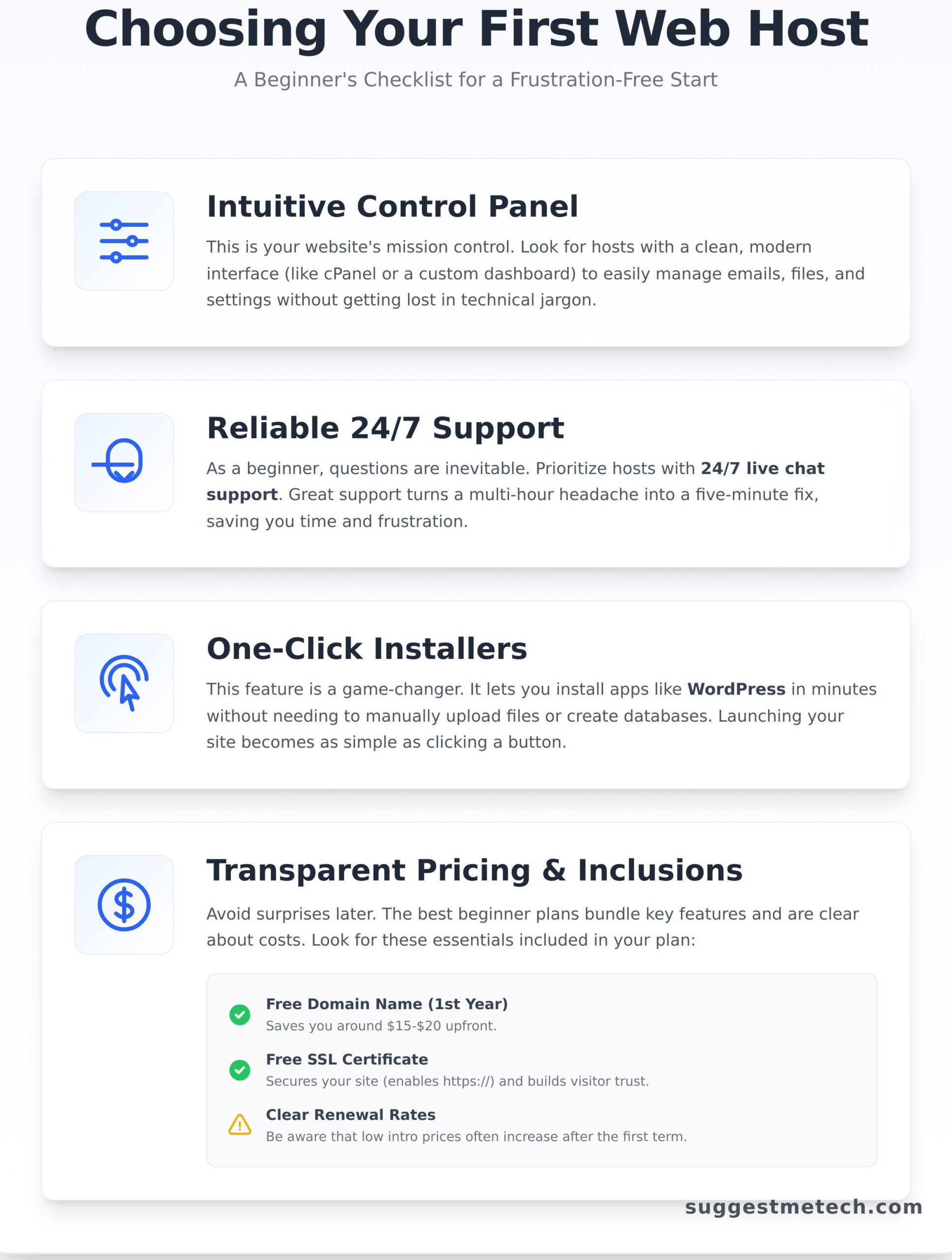
An Intuitive and User-Friendly Control Panel
Your control panel is the mission control for your website. It’s where you’ll manage everything from creating a professional email address (like contact@yourdomain.com) to setting up your site’s software. Look for providers that offer a clean, modern interface, like the industry-standard cPanel or a well-designed custom dashboard. A clear layout with intuitive icons means you can find what you need without getting lost in a sea of technical options. Avoid hosts with dated, cluttered interfaces that make simple tasks feel like a chore.
Reliable 24/7 Customer Support
As a beginner, you will have questions-it’s inevitable. That’s why excellent customer support is non-negotiable. Prioritize hosts that offer 24/7 live chat, as it’s the fastest way to get help when you’re stuck. A comprehensive knowledge base with step-by-step tutorials is also a massive plus. Great support can turn a multi-hour headache into a five-minute fix, saving you incredible amounts of time and frustration as you learn the ropes.
One-Click Installers for Apps like WordPress
This feature is a game-changer and a must-have. A one-click installer, often powered by tools like Softaculous or a custom setup wizard, lets you install popular applications like WordPress in minutes. It completely removes the need for complicated manual processes like uploading files via FTP or creating databases. With this tool, launching your blog, portfolio, or online store is as simple as filling out a form and clicking a button.
Transparent Pricing and Inclusions
Finding affordable web hosting also means understanding the costs involved. Look for transparent pricing that includes essential features without hidden fees. Key things to watch for include:
- A free domain name for the first year, which saves you around $15-$20 upfront.
- A free SSL certificate to secure your site (enabling the
https://in your URL). - Clear renewal rates, as the low introductory price often jumps significantly after the first term.
- A clean checkout process that doesn’t bombard you with unnecessary add-ons.
Key Hosting Features Explained in Plain English
Navigating the world of web hosting can feel like learning a new language. But don’t let terms like ‘bandwidth’ or ‘SSL’ scare you away. Understanding these core features is the key to choosing the best web hosting for beginners without overpaying for things you don’t need. We’ll break down the essentials using simple analogies to empower your decision.
Shared Hosting: Your First Digital Apartment
Think of shared hosting like living in an apartment building. You get your own private space (your website), but you share the building’s resources-like electricity and water-with other tenants. It’s the most affordable and popular option for new users because the costs are split among everyone. This setup is perfect for launching a new blog, a personal portfolio, or a small business website that’s just getting started.
Domain Name & SSL Certificate
Your domain name is your website’s unique street address (e.g., suggestmetech.com). It’s how people find you online. An SSL certificate is the digital padlock that encrypts data between your site and your visitors, showing a lock icon in their browser. This builds trust and is essential for security. The best plans for beginners bundle a free domain and SSL certificate for the first year, which is a significant value-add to look for.
Bandwidth & Storage: Traffic and Files
These terms are simpler than they sound:
- Storage: This is the digital file cabinet for your website. It’s the amount of space you have on the server to store all your images, text, and code, just like a hard drive.
- Bandwidth: This is the amount of data that can be transferred from your website to your visitors each month. Think of it as the width of the road leading to your site.
Most entry-level plans offer more than enough of both for a new website. Don’t get caught up in paying extra for “unlimited” plans until your traffic actually demands it.
Uptime: Your Website’s Reliability
Uptime is the measurement, expressed as a percentage, of how often your website is online and accessible to visitors. A host with poor uptime means your site will frequently be down, frustrating potential customers or readers. You should always look for a provider that guarantees at least 99.9% uptime. Anything less is a major red flag and can undermine your online presence before it even gets off the ground.
Our Top 4 Web Hosting Picks for Beginners in 2026
After testing dozens of providers, we’ve narrowed down the top choices for anyone just starting their online journey. Our recommendations focus on three core pillars: ease of use, reliable customer support, and outstanding value for your money. Before you choose, it’s helpful to understand what is a web hosting service at its core-it’s the engine that powers your website. We believe these are the best web hosting for beginners because each one excels in a specific area. Whether your priority is budget, WordPress simplicity, or premium support, you’ll find the perfect match below.
Budget-Friendly Pick: Best for the Tightest Budget
This provider consistently wins for its unbeatable introductory prices, making it ideal for those starting a project on a shoestring budget. Its custom control panel is a clean and modern alternative to the traditional cPanel, making it incredibly simple for new users to navigate. For those not ready for WordPress, it also includes its own easy-to-use website builder.
- Pro: Extremely affordable starting plans.
- Pro: Intuitive and modern custom control panel.
- Con: Live chat support can experience delays during peak times.
WordPress Ready: Best for Easy WordPress Integration
If you know your website will run on WordPress, this host is a fantastic starting point. It offers seamless integration with WordPress, making setup effortless. A guided setup wizard walks you through the entire installation process, and its custom dashboard makes managing your WordPress site a breeze. Performance is strong and reliable for new sites looking to grow.
- Pro: Seamless WordPress integration and optimization.
- Pro: Guided setup makes launching a site foolproof.
- Con: Renewal rates are significantly higher than introductory prices.
Performance & Support: Best for Premium Support and Speed
For beginners who prioritize speed and top-tier support above all else, this provider is worth the investment. Their customer support is legendary-fast, expert, and available 24/7 to solve any issue. Your site will load lightning-fast thanks to their performance-focused infrastructure. Their proprietary control panel is also incredibly user-friendly and powerful, a real joy to use.
- Pro: Industry-leading customer support, 24/7 availability.
- Pro: Excellent speed and performance technology.
- Con: Higher price point compared to other beginner-focused hosts.
DreamHost: Best for Transparent Pricing
DreamHost stands out for its commitment to transparent and fair pricing, making it a great choice for beginners who dislike long-term commitments. It’s one of the few top-tier hosts offering a true month-to-month payment plan without a massive price hike. WordPress comes pre-installed for a quick start, and there are no aggressive upsells during checkout.
- Pro: Clear pricing and a true monthly payment option.
- Pro: WordPress is ready to go out of the box.
- Con: Its custom control panel can feel less intuitive than cPanel at first.
Web Hosting vs. Website Builders (like Wix or Squarespace)
As you start your journey online, one of the first and most confusing questions is: “Do I need web hosting, or should I just use something like Wix?” It’s a critical decision. Both are perfectly valid ways to get a website live, but they are built for fundamentally different needs. Understanding this distinction is key to choosing the right path and avoiding major headaches down the road.
Let’s break down which option is the right fit for you.
When to Choose a Website Builder
A website builder is an all-in-one, closed system. You get the hosting, software, and design tools in one package, often with a simple drag-and-drop interface. This path is ideal if your priority is pure simplicity and speed.
- You want an all-in-one solution: Everything from the domain to the design tools is handled in one place.
- Your technical comfort is very low: No code or server management is required. If you can use a presentation app, you can use a builder.
- Your needs are simple: Perfect for a basic online brochure, a personal portfolio, or a restaurant menu site that you need online fast.
- You don’t need deep customization: You work within the templates and features the platform provides, which can be limiting.
When to Choose Web Hosting (with WordPress)
Choosing a web host means you rent server space and then install your own software, most commonly WordPress. This approach offers unparalleled freedom and is the foundation for most serious websites. This is the path we focus on when discussing the best web hosting for beginners because of its incredible long-term potential.
- You want full ownership and control: Your website files and data are yours. You can move to another host anytime.
- You plan to grow: Web hosting easily scales with you, whether you’re adding a popular blog, an online store, or membership features.
- You want endless functionality: With WordPress, you gain access to over 50,000 plugins to add almost any feature imaginable.
- You value long-term flexibility: You are not locked into one company’s ecosystem, giving you the freedom to adapt as your needs change.
So, which is right for you? If you need a simple, static website online this afternoon and don’t foresee needing complex features, a website builder is a fantastic tool. However, if you envision your website growing, evolving, and becoming a core part of your business or brand, then choosing one of the best web hosting for beginners and pairing it with WordPress is the more powerful, scalable, and future-proof decision. For more tech guides like this, be sure to explore SuggestMeTech.
Your First Steps After Choosing a Hosting Plan
Congratulations on selecting your hosting plan! The hard part is over, and now the exciting part begins: getting your website online. Don’t worry, this process is much simpler than it sounds. The providers we’ve recommended as the best web hosting for beginners have made this initial setup incredibly straightforward.
You can have your new site live in less than 30 minutes by following these three simple steps.
1. Point Your Domain Name to Your Host
If you registered a free domain directly with your new host during sign-up, you can skip this step-they’ve already handled it for you. However, if you bought your domain from a different company (like Namecheap or GoDaddy), you’ll need to connect it. This is done by changing the “nameservers” at your domain registrar to point to your new host. Your hosting provider will email you the correct nameserver addresses (they usually look like ns1.hostname.com and ns2.hostname.com) and have detailed guides in their support section to walk you through it.
2. Install WordPress with a Single Click
Once your domain is connected, it’s time to install the software that will power your website. All of the best web hosting for beginners comes with a one-click installer for WordPress. Log in to your hosting account’s control panel (often called cPanel) and look for an icon labeled “WordPress,” “Site Installer,” or “Softaculous.” The process is simple:
- Choose the domain you want to install WordPress on.
- Enter your site’s name or title.
- Create a secure username and password for your WordPress admin account.
- Click “Install,” and the system will do the rest. Within a couple of minutes, your basic WordPress site will be live.
3. Create Your Professional Email Address
A final, crucial step for establishing credibility is setting up a professional email address. An address like yourname@yourdomain.com looks far more trustworthy to customers and partners than a standard Gmail account. In your hosting control panel, find the “Email Accounts” section. From there, you can create new mailboxes in just a few clicks. You can access your new email through your host’s webmail interface or configure it to work with your favorite desktop or mobile email client, like Outlook or Apple Mail.
And that’s it! Your hosting is set up, WordPress is installed, and you have a professional email ready to go. You’re now officially a website owner, ready to start building your online presence.
Ready to Go Live? Your Hosting Choice Made Simple
Choosing your first web host is a major step, but it doesn’t have to be intimidating. The key is to look beyond just the price and focus on what truly matters for a new website: reliable performance, an easy-to-use control panel, and access to helpful customer support. Ultimately, the best web hosting for beginners is the service that removes technical roadblocks and gives you the confidence to grow your online presence.
Our recommendations are designed to get you started on the right foot, but we know every project has different needs. For a more detailed breakdown, we’ve put dozens of providers to the test. Our advice is grounded in hands-on testing, performance data, and practical insights from tech experts who understand the real-world user experience.
Dive deeper into the data and see our full comparison of the Best Web Hosting Providers. You’ve done the research, and you’re ready to make a great choice. Now go build something amazing!
Frequently Asked Questions About Web Hosting for Beginners
Do I need to know how to code to use web hosting?
Absolutely not. Modern web hosts are designed for users of all skill levels. They provide intuitive control panels (like cPanel) and one-click installers for software like WordPress, which lets you build and manage your site without touching a single line of code. Many providers also include user-friendly website builders with drag-and-drop interfaces, making the process even simpler. You can launch a professional-looking site with zero coding experience.
How much should I expect to pay for beginner web hosting?
For a quality entry-level plan, you should expect to pay between $2 and $5 per month for your initial term. These low introductory prices are a major benefit for new users. Keep in mind that these rates are promotional, and hosting plans typically renew at a higher, standard rate. Always check the renewal cost before committing, but the initial investment is very affordable for getting your first site online.
What’s the difference between a domain name and web hosting?
Think of it like this: your domain name (e.g., YourWebsite.com) is your website’s street address, which people use to find you. Web hosting is the physical house at that address where all your website’s files, images, and content are stored. You need both to have a functioning website. Most beginner-friendly hosts allow you to register a domain name when you purchase your hosting plan, often including it for free for the first year.
Can I switch my web host later if I’m not happy?
Yes, you can always move your website to a new host. This process is called a website migration. While it may sound technical, many hosting providers offer free or low-cost migration services to make the switch seamless for new customers. You are never permanently locked into a provider, so you have the freedom to choose a different service if your needs change or you find a better fit down the road.
What is shared hosting and is it good enough for a new website?
Shared hosting is a plan where your website is stored on a server with other websites, sharing its resources. Think of it as living in an apartment complex-you have your own space, but you share the building’s overall infrastructure. For new websites, shared hosting is not only good enough, it’s ideal. It’s the most cost-effective option and provides more than enough power and speed to handle the traffic levels of a typical new blog or small business site.
Will my web host help me if I have a problem with my WordPress site?
Your web host’s support team will help with any issues related to the hosting service itself-such as server errors, email setup, or your site being down. However, their support for WordPress-specific problems, like a broken plugin or a theme customization issue, may be limited. For those situations, you would typically consult WordPress forums or a developer. The best web hosting for beginners often includes excellent 24/7 support for all hosting-related questions.