
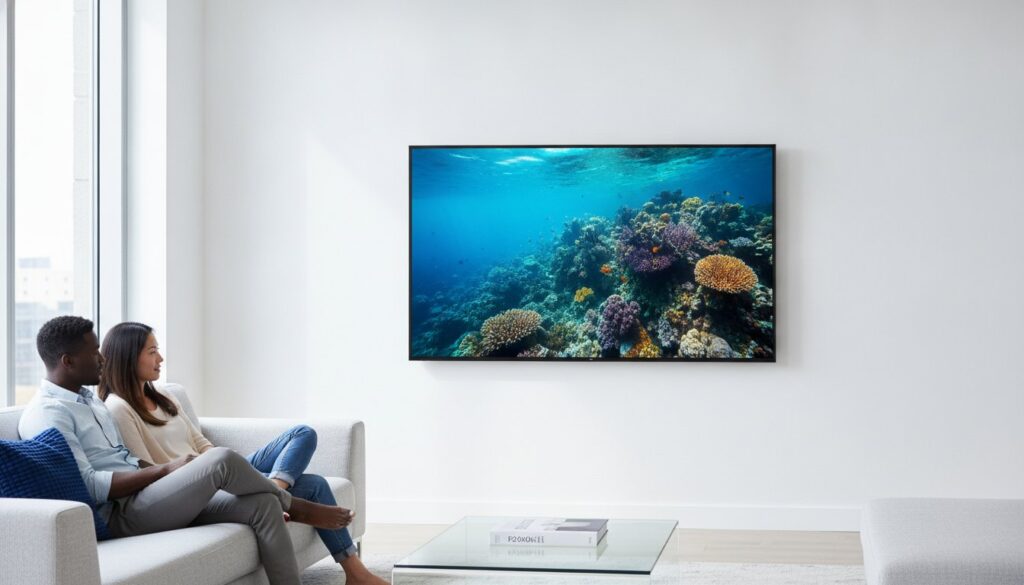
In 2026, the best TV is no longer defined by its resolution, but by how intelligently it adapts to your specific room environment and viewing habits. You’ve likely felt the frustration of staring at spec sheets filled with terms like HDMI 2.1a and Source-Based Tone Mapping while worrying your expensive new purchase will be obsolete in two years. This smart tv buying guide 2026 is designed to clear that confusion and put you back in control of your home theater investment.
We’ll help you master the current display landscape, from the high peak brightness of Mini-LED to the perfect blacks of the latest Samsung S95H or LG G6 OLED models. You’ll learn exactly which screen size fits your space and which AI-powered features actually improve your viewing experience rather than just inflating the price. Whether you’re a gamer looking for 144Hz refresh rates or a movie buff seeking the best value, this guide provides the specific, practical recommendations you need to buy with total confidence. Let’s find the perfect screen for your home together.
Key Takeaways
- Understand why 4K remains the industry sweet spot in 2026 and how to recognize when 8K marketing isn’t worth the premium price.
- Learn how to match display technology to your environment by choosing OLED for dark cinema rooms or Mini-LED for sunlit living spaces.
- Use our smart tv buying guide 2026 to calculate the “Golden Ratio” for screen size and viewing distance to avoid eye strain and overspending.
- Identify the essential gaming standards, such as HDMI 2.1b and Variable Refresh Rate, required to keep your home theater future-proof.
- Follow a practical 5-step checklist to measure your space and assess room lighting before committing to a specific model.
The Smart TV Landscape in 2026: What Has Changed?
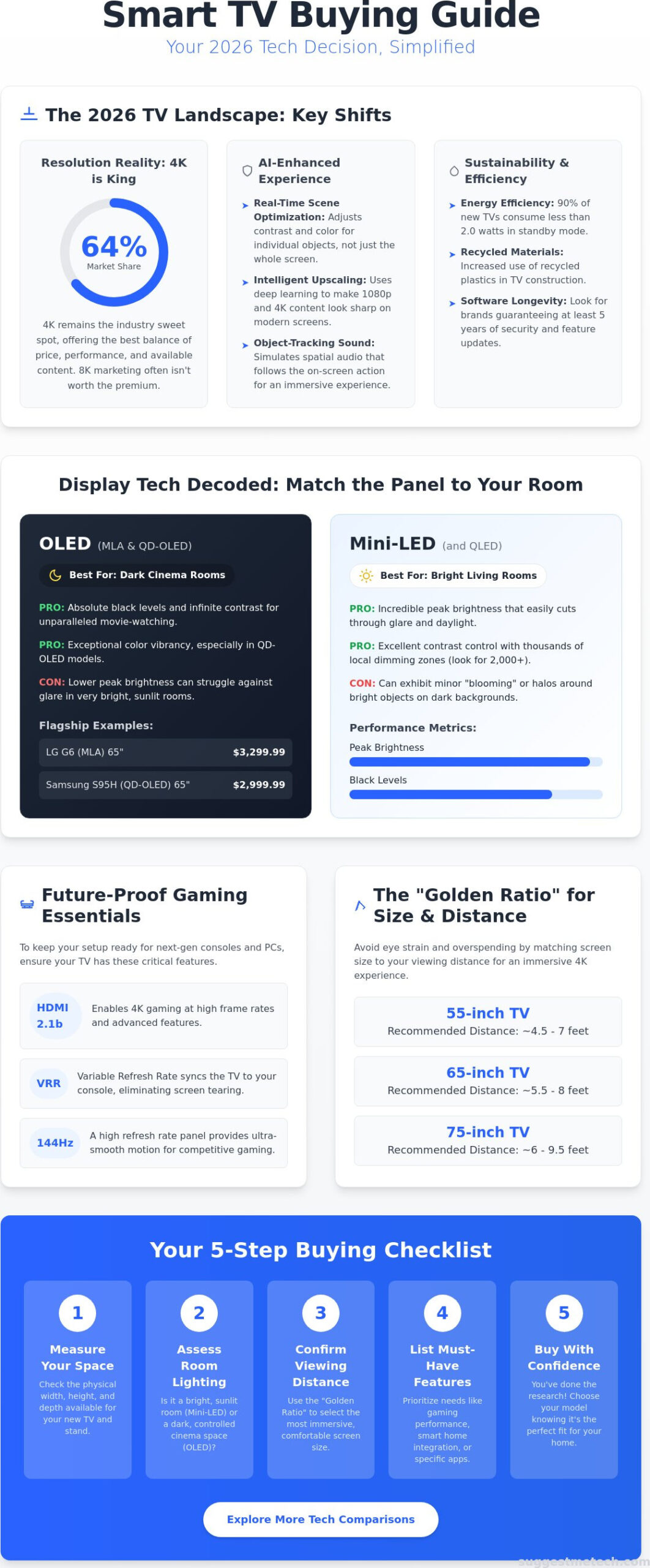
The global market for connected screens is projected to reach a value of $294.73 billion by the end of 2026. This growth isn’t just about bigger screens. It represents a fundamental shift in how we use these devices. Your television is no longer a “dumb” display meant for passive viewing; it has evolved into an AI-driven command center for your entire home. While marketing departments continue to push 8K resolution, 4K UHD remains the dominant choice for consumers, holding an estimated 64% market share this year. It’s the practical sweet spot where price meets available content.
Sustainability has also moved to the forefront of the smart tv buying guide 2026. Major manufacturers, including Sony, Hisense, and Google TV, have entered a voluntary agreement to improve energy efficiency. By 2026, at least 90% of TVs sold in the U.S. and Canada are designed to consume no more than 2.0 watts in standby mode. You will also notice a significant increase in the use of recycled plastics and carbon-neutral manufacturing processes across the industry. Choosing a new screen now involves evaluating its environmental footprint alongside its peak brightness.
AI-Enhanced Processing: More Than a Buzzword
Modern Smart TV technology now relies heavily on neural networks for real-time scene optimization. Instead of applying a single setting to the whole screen, 2026 processors analyze individual objects within a frame. They adjust contrast for a face while keeping the background sky naturally blue. This processing power is vital for upscaling. Since most content is still produced in 1080p or 4K, these AI chips use deep learning to fill in missing pixels, making legacy content look remarkably sharp. These processors also power object-tracking sound, which uses internal speakers to simulate spatial audio that follows the action across the screen.
Smart Home Integration and the Unified Hub
Display Tech Decoded: OLED vs. QLED vs. Mini-LED
Choosing the right panel technology is the most critical decision in any smart tv buying guide 2026. While resolution is now standardized, the way your TV produces light determines how well it performs in your specific living environment. Competitors often claim OLED is the universal “best,” but this ignores the reality of sun-drenched rooms where OLED can struggle against glare. In 2026, the choice comes down to how these display technologies explained by experts actually handle your room’s unique lighting conditions.
OLED Evolution: MLA and QD-OLED
OLED technology has split into two premium paths: Micro Lens Array (MLA) and QD-OLED. MLA uses billions of microscopic lenses to redirect light that was previously lost, significantly boosting brightness. The 65-inch LG G6 OLED, priced at $3,299.99, utilizes this to narrow the gap with traditional LED screens. Meanwhile, QD-OLED, found in models like the Samsung S95H ($2,999.99 for 65-inch), uses Quantum Dots to create more vibrant reds and greens. These screens are perfect for dedicated home theaters or dark-room gaming because they can turn off pixels individually, achieving absolute black levels that no other tech can match.
Mini-LED: Why It Might Be Better for Your Living Room
Mini-LED is the superior choice for rooms with large windows or bright overhead lights. By using thousands of tiny LEDs instead of a few hundred, these TVs achieve incredible peak luminance while minimizing “blooming,” which is the distracting glow around bright objects on dark backgrounds. When shopping, look at the local dimming zone count. A flagship Mini-LED in 2026 typically features over 2,000 zones, providing much tighter control over light than a mid-range model with only 500 zones. If you’re still undecided, you can check out more tech comparisons for your home to see which fits your lifestyle.
QLED and Neo-QLED remain the reliable mid-range champions, balancing color vibrancy with affordability. These use a Quantum Dot layer over a standard LED backlight, offering a bright, punchy image that works well for daytime sports and news. The 2026 wildcard is consumer-grade Micro-LED. While still extremely expensive, it combines the self-emissive benefits of OLED with the extreme brightness of Mini-LED. It is the future of TV tech, but for most buyers this year, the choice remains a strategic pick between the deep blacks of OLED and the raw power of Mini-LED.
Size, Resolution, and Viewing Distance: The Golden Ratio
The biggest mistake most buyers make is choosing a screen for their wall instead of their eyes. In this smart tv buying guide 2026, we focus on the “Golden Ratio,” which is the relationship between screen size, resolution, and your couch. While a 75-inch screen sounds impressive, it can cause significant eye fatigue if you’re sitting only six feet away. Conversely, a 55-inch screen might feel like a postage stamp in a large open-plan living room. You need to match the hardware to your physical environment to get the most value for your money.
To achieve true cinematic immersion, aim for a 30 to 40-degree field of view. For a standard 65-inch 4K TV, the sweet spot is approximately 5.5 to 9 feet away. If you sit closer, you’ll start to see individual pixels, breaking the illusion of a smooth image. If you sit further, your eyes won’t fully appreciate the extra detail you paid for. Don’t forget the physical footprint. Modern pedestal stands are getting wider to support larger panels, so ensure your furniture can handle the span. If you’re mounting it, verify that your wall can support the weight, as many 85-inch models now exceed 100 pounds.
The 2026 Size Guide: 55, 65, or 75+ Inches?
The 46 to 55-inch segment remains highly popular, holding roughly 35% of the market. These are ideal for bedrooms or studio apartments where space is at a premium. The 65-inch model has officially become the standard for the modern family room, offering the best balance of price and performance. However, if you have a large basement or a dedicated media room, 75 to 98-inch screens are now viable alternatives to projectors. These “TV walls” provide much better brightness and contrast than traditional projection systems, especially in rooms where you can’t perfectly control the light.
Resolution Reality Check: 4K vs. 8K
While 8K TVs are widely available, they haven’t seen mainstream adoption. 4K UHD still holds a dominant 64% market share because there’s simply very little native 8K content to watch. Unless you sit extremely close to a massive screen, the “Retina” effect kicks in. This means your eyes can’t actually distinguish the extra pixels of 8K at normal viewing distances. Bitrate often matters more than pixel count for image clarity. A high-bitrate 4K stream will look better than a compressed, blocky 8K one every time.
If you plan on using your screen for professional work or high-end productivity, check out The Best Laptops of 2026 to find a machine capable of driving these high-resolution displays. Finally, always look for energy-efficient TVs to keep your utility bills low while enjoying your new theater setup. Choosing a model that meets these standards ensures your home theater remains sustainable and cost-effective over the long term.
Gaming and High-Performance Features to Look For
Gaming performance has become a primary driver for screen sales this year. If you’re using this smart tv buying guide 2026 to build a modern gaming setup, look for HDMI 2.1b ports as a non-negotiable requirement. This standard is necessary for 4K resolution at 144Hz, providing the 48Gbps bandwidth required for the latest PCs and consoles. You’ll also want to ensure the TV supports Variable Refresh Rate (VRR) and Auto Low Latency Mode (ALLM). These features eliminate screen tearing and automatically switch the TV into its fastest response mode when you boot up a game, ensuring you never lose a millisecond to input lag.
Refresh Rates and Motion Handling
High-end TVs in 2026 now feature native 144Hz and even 165Hz panels. While 120Hz was the gold standard for years, the human eye can perceive the added fluidity in fast-paced competitive shooters. For the best motion clarity, look for Black Frame Insertion (BFI). This technique flickers the backlight to reduce the “ghosting” effect during rapid movement, though it can slightly dim the image. To match these high-speed visuals with immersive spatial audio, check out Headphones: The Ultimate Guide for a dedicated gaming headset that won’t wake the neighbors during late-night sessions.
HDR Formats: Dolby Vision, HDR10+, and HLG
Dynamic range is just as important as speed. Dolby Vision IQ is a standout feature because it uses the TV’s light sensors to adjust the HDR image based on your room’s brightness. If the sun hits your screen, the TV boosts shadow detail so you don’t lose sight of the action. HDR10+ Gaming has also emerged as a vital standard, offering low-latency HDR processing specifically for games. Aim for a TV that supports multiple HDR formats to ensure compatibility with all your streaming services and gaming platforms.
Cloud gaming has fundamentally changed the requirements for a high-performance TV. You no longer need a physical console to play AAA titles. Many 2026 models include native apps for Xbox and NVIDIA GeForce NOW directly in the interface. “Game Mode” settings are no longer just a luxury; they’re a necessity that optimizes input lag and color accuracy with a single click. If you’re ready to upgrade your setup, you can find the right gaming TV today using our curated performance evaluations.
Making the Final Decision: A 5-Step Buying Checklist
This smart tv buying guide 2026 concludes with a practical framework to move you from research to a confident purchase. Don’t let the technical jargon or the fear of obsolescence paralyze your decision. By following these five steps, you’ll ensure your new screen fits your lifestyle and your budget perfectly.
- Measure your space: Determine your maximum screen size by checking your seating distance. Refer back to the “Golden Ratio” to ensure you aren’t sitting too close to a massive panel.
- Assess your room lighting: Identify if your room is bright, mixed, or dark. Choose Mini-LED for sun-drenched living rooms and OLED for dedicated, dark cinema spaces.
- Define your primary use case: Decide if you’re building a gaming hub, a movie theater, or a general-purpose family display. This dictates whether you prioritize 144Hz refresh rates or advanced HDR formats.
- Set a realistic budget: Include the cost of the TV plus necessary accessories. Remember that chip shortages and tariffs in 2026 have made mid-range models slightly more expensive than in previous years. To better navigate complex pricing in other markets, you can explore Dealer Lead Generation and Advertising Fees on CarSeek to gain insight into how professional sales networks operate.
- Check for OS compatibility: Ensure the TV’s operating system integrates with your existing smart home ecosystem, specifically looking for Matter and Thread support.
The Hidden Costs: Soundbars and Accessories
Even the flagship 2026 TVs are too thin to house high-quality speakers. You’ll almost certainly need an external audio solution to match the premium visuals. Use the HDMI eARC port to simplify your setup. This connection allows your TV remote to control the soundbar volume automatically, reducing coffee table clutter. Don’t let a cheap $10 cable bottleneck a $2,000 investment. You must use high-speed HDMI 2.1b cables to handle the 48Gbps bandwidth required for 4K/144Hz gaming and lossless spatial audio.
When to Buy: Navigating the 2026 Sales Cycle
Timing your purchase can save you hundreds of dollars. Super Bowl sales in early February offer the first major discounts on the current year’s models as retailers clear space. However, Black Friday remains the peak for the lowest raw prices. A smart strategy is the “Last Year’s Model” approach. When new lineups hit shelves in the spring, you can often save 30-50% on premium tech from the previous year that is only marginally different in performance. For personalized advice tailored to your specific needs, visit SuggestMeTech to find your perfect match.
Ready to Transform Your Home Theater?
Navigating the complex world of modern display technology doesn’t have to be overwhelming. You now have the tools to choose between the perfect contrast of OLED and the sun-defying brightness of Mini-LED. By applying the “Golden Ratio” to your seating distance and prioritizing essential gaming features like HDMI 2.1b, you’re ensuring your investment remains future-proof for years to come. The right screen is no longer just a display; it’s the intelligent hub of your digital life.
This smart tv buying guide 2026 has provided the framework, but the final choice should reflect your unique lifestyle. We take the guesswork out of the process through hands-on testing of over 50 models annually and unbiased, affiliate-supported research. Our community-driven tech reviews are designed to help you find the best value for your specific room environment, ensuring you buy with total confidence.
When you’re ready to see which specific models topped our latest evaluations, explore our curated recommendations at SuggestMeTech. We’re here to help you navigate every technical detail so you can get back to what really matters: enjoying your favorite content on a stunning new screen. Happy viewing!
Frequently Asked Questions
Is 8K worth it in 2026?
No, 8K is generally not worth the premium price for most consumers in 2026. Native content remains extremely scarce, and 4K still holds a dominant 64% market share. Unless you’re buying a screen larger than 85 inches and sitting very close, the human eye can’t distinguish the extra pixels. Focus your budget on better 4K panel technology like QD-OLED to get a more noticeable improvement in picture quality.
How long should a Smart TV last before needing an upgrade?
Expect a high-quality Smart TV to last between five and seven years before hardware or software limitations suggest an upgrade. While the panel might function for much longer, the internal processor often struggles with newer apps after half a decade. This smart tv buying guide 2026 recommends choosing brands that guarantee long-term OS updates to ensure your device’s software remains fast and secure for years to come.
What is the best TV brand for gaming in 2026?
LG and Samsung currently lead the market for gaming-specific features in 2026. These brands consistently offer four full-bandwidth HDMI 2.1b ports and support for 144Hz refresh rates. Their dedicated gaming interfaces allow you to monitor frame rates and adjust VRR settings without leaving your game. Sony is also a top contender for console users due to exclusive features that optimize picture settings for the PlayStation 5 Pro.
Can I use a Smart TV without an internet connection?
Yes, you can use a Smart TV without an internet connection as a standard monitor for cable boxes, Blu-ray players, or game consoles. However, you’ll lose access to streaming apps, voice assistants, and critical firmware updates. Most modern sets require a one-time connection during initial setup to activate certain features. If you have privacy concerns, you can simply disconnect the Wi-Fi or unplug the ethernet cable once the setup is finished.
What is the difference between OLED and QD-OLED?
The primary difference is that QD-OLED uses a Quantum Dot layer to produce color, whereas traditional OLED uses a color filter. This allows QD-OLED sets to achieve higher peak brightness and more saturated colors. Traditional OLED remains an excellent choice for dark cinema rooms, but QD-OLED is the superior option if you want the best of both color vibrancy and perfect black levels in a mixed-light environment.
How do I prevent “burn-in” on my new OLED TV?
Prevent burn-in by avoiding static images for long periods and using the TV’s built-in maintenance tools. Modern 2026 panels include features like “Pixel Shift” and “Logo Luminance Adjustment” that protect the screen automatically. Simply avoid leaving news tickers or static game interfaces on the display for twelve hours straight. Standard varied viewing makes permanent burn-in a very low risk for the vast majority of modern users.
Do I need a special HDMI cable for 4K 144Hz?
Yes, you must use an Ultra High Speed HDMI cable certified for 48Gbps bandwidth to support 4K at 144Hz. Older cables lack the necessary data throughput, which often leads to screen flickering or a total loss of signal. Look for the “Ultra High Speed” label on the packaging to ensure compatibility. This is a critical step in any smart tv buying guide 2026 to ensure your hardware performs at its full potential.
Which Smart TV OS is the most user-friendly?
Roku TV and Google TV are widely considered the most user-friendly operating systems for the average viewer. Roku offers a simple, grid-based interface that’s incredibly easy to navigate. Google TV excels at content discovery by pulling recommendations from all your streaming services into one home screen. Samsung’s Tizen and LG’s webOS are also powerful, but their interfaces can occasionally feel more cluttered with advertising and complex sub-menus.

