
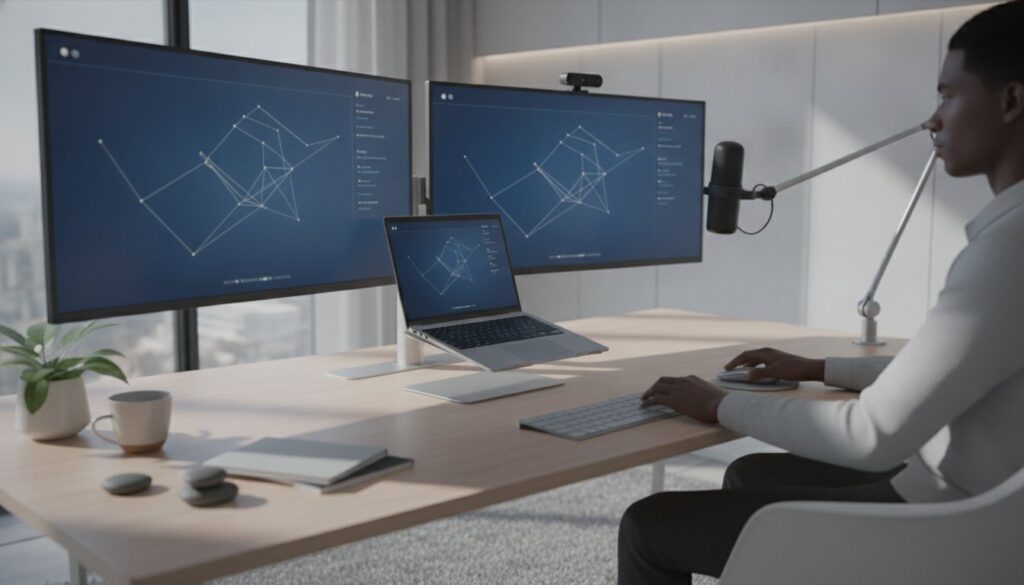
In 2026, your professional reputation is no longer built in a physical conference room. It’s forged in the pixels and decibels of your digital workspace, where the right tech that makes you look more professional becomes your most valuable asset. You’ve likely felt the frustration of being the most qualified person on a call, yet appearing like an amateur because of a grainy image or muffled audio. Poor quality causes “Zoom fatigue” for your clients and makes even the best ideas feel disorganized.
It’s time to fix that. By investing in specific hardware and software upgrades, you can transform your presence from a standard remote worker to a high-impact industry expert. This guide breaks down the essential tools you need right now. We’ll look at AI-driven webcams like the Logitech MX Brio 705, streamlined productivity suites like Motion, and the digital infrastructure required to build a lasting identity. You’ll learn how to eliminate technical friction and ensure your tools finally match your talent.
Key Takeaways
- Learn why high-quality audio is more critical than visual fidelity for reducing audience fatigue and building immediate trust during virtual calls.
- Discover how workflow hardware, such as dual monitors and precision keyboards, eliminates technical friction and creates a more polished professional output.
- Understand the importance of moving beyond generic email providers to a custom domain that serves as your permanent digital business card.
- Identify the specific tech that makes you look more professional using a phased implementation guide that prioritizes high-impact upgrades first.
The New Professionalism: Why Tech is Your Modern First Impression
Professionalism used to be defined by a firm handshake and a well-pressed suit. In 2026, those physical cues have been replaced by “Digital Fidelity.” Your webcam quality and audio clarity are now the primary trust signals you send to clients and colleagues. When you invest in tech that makes you look more professional, you aren’t just buying gadgets; you’re upgrading your first impression.
Low-quality audio and video create a significant “cognitive load” for your audience. When people have to strain to hear you or squint through grainy pixels, their brains spend energy on decoding the signal rather than processing your message. This friction builds a subtle wall between you and your listeners. We often assume that people with better gear are more competent, a psychological phenomenon known as expertise bias. If you look and sound like a broadcast professional, people treat you like one.
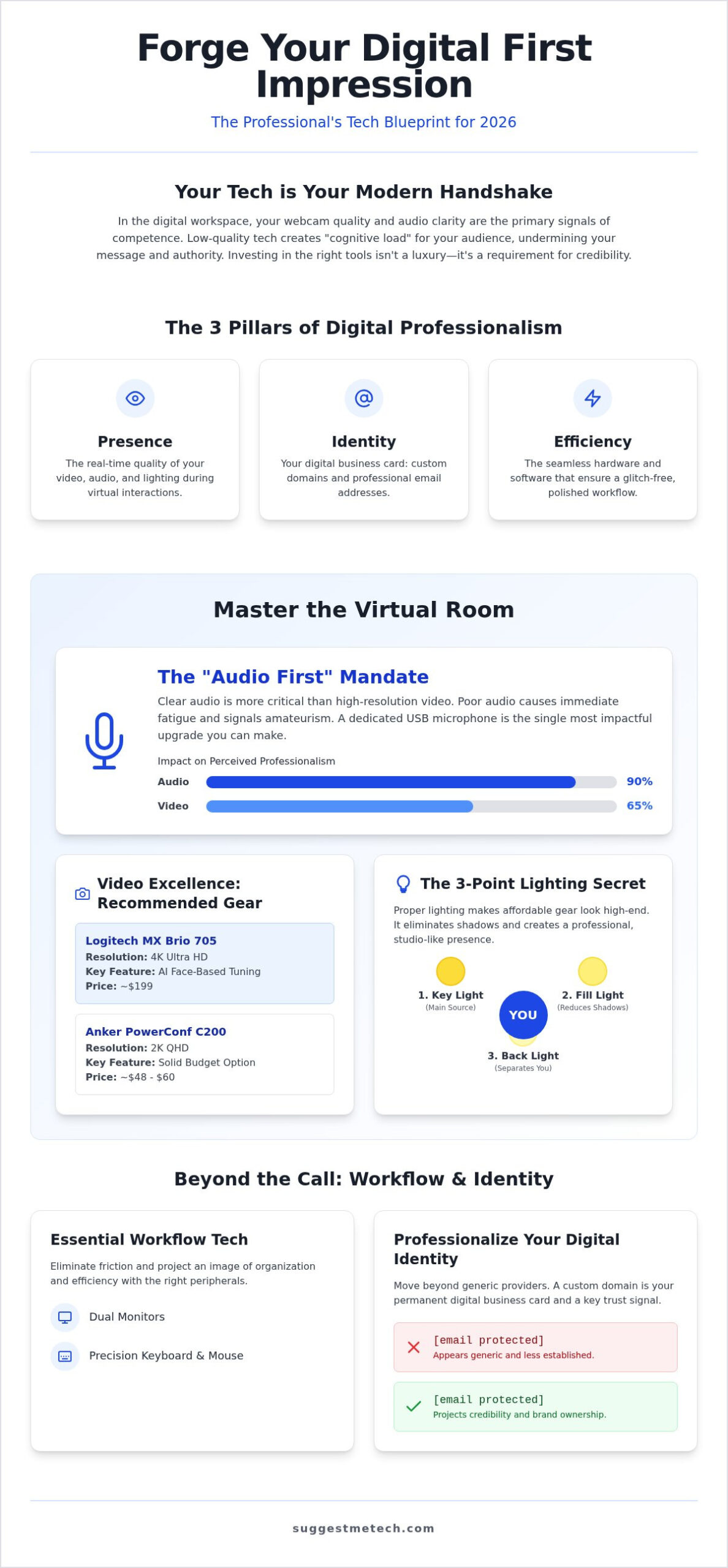
Modern professionalism rests on three specific pillars:
- Presence: The real-time quality of your video, audio, and lighting.
- Identity: How you manage your online identity management through custom domains and professional email addresses.
- Efficiency: The hardware and software that ensure your workflow remains glitch-free.
The Cost of “Good Enough” Tech
Relying on “good enough” tech is a hidden tax on your career. When you skip the tech that makes you look more professional, like a dedicated microphone, you lose persuasiveness. Using an internal laptop microphone is one of the fastest ways to lose a client’s interest. It picks up fan noise and echoes, making you sound distant and amateur. For those in leadership, a laggy or grainy presence isn’t just a nuisance. It suggests a lack of attention to detail that can undermine your authority during high-stakes negotiations.
Tech as a Tool for Confidence
Meeting anxiety often stems from the fear of technical failure. When you know your gear works perfectly, that anxiety disappears, allowing you to focus entirely on your performance. This is often called the “Studio Effect.” By setting up a dedicated space with reliable tools, you create a psychological boundary between your personal environment and your professional persona. In 2026, Digital Authority is defined as the ability to command a virtual room by removing every ounce of technical friction from the interaction.
Mastering the Virtual Meeting: Audio and Video Gear That Commands Respect
The fastest way to undermine your authority in a meeting is to have poor audio. The “Audio First” rule is simple: a $50 dedicated microphone will make you sound more competent than a $500 4K camera with a built-in mic ever could. High-quality audio is the ultimate tech that makes you look more professional because it ensures your message is delivered without the distraction of background hiss or echoes. If your audience can’t hear you clearly, they’ll stop listening long before they notice your video resolution.
Broadcast-Quality Audio for Non-Broadcasters
For most office environments, a USB condenser or dynamic microphone is the best choice for its plug-and-play simplicity. While XLR setups offer superior control, they require an audio interface that adds complexity. Hardware-based noise suppression, found in many modern headsets, is often more reliable than software filters that can occasionally clip your voice. Choosing the right pair of headphones is equally vital for maintaining focus and ensuring you hear every nuance of a conversation. You can find detailed evaluations of the latest noise-cancelling models in SuggestMeTech’s headphone guide.
Video Excellence: Resolution and Lighting
While 1080p remains the baseline, 4K is the new professional standard for 2026. Devices like the Logitech MX Brio 705 for Business, priced at $199, offer AI face-based tuning that keeps you looking sharp even in shifting light. If you’re on a tighter budget, the Anker PowerConf C200 provides a solid 2K image for $48 to $60. However, even the best camera fails without proper lighting. Lighting is the secret weapon that makes affordable gear look high-end, though for those seeking a truly cinematic brand presence, professional production from SN Media Services LLC can elevate your video content to the highest standard.
You don’t need a full studio to achieve professional results. A simplified three-point lighting setup works wonders for a desk:
- Key Light: Your main light source, placed slightly to the side of your camera.
- Fill Light: A softer light on the opposite side to reduce harsh shadows.
- Back Light: A light behind you to create separation from the background.
Avoid placing a ring light directly in front of your face, as it often creates a “washed out” look and distracting reflections in glasses. Instead, bounce the light off a neutral-colored wall to create a soft, natural glow. Your background selection is equally critical; a clean, physical space is always superior to digital blurs, which often struggle with “edge bleed” around your hair and shoulders. If you must use a digital background, ensure your lighting is bright enough to help the software distinguish you from the wall. You can explore our hardware reviews to find the specific lighting kits that fit your workspace.
Beyond the Camera: Essential Workflow Tech for a Polished Output
The visual and auditory quality of your calls establishes your presence, but your workflow hardware determines your poise. Nothing breaks the illusion of expertise faster than fumbling for a document or accidentally sharing a personal browser tab during a meeting. This behind-the-scenes tech that makes you look more professional ensures you remain in total control of your digital environment, allowing you to focus on the conversation rather than the controls.
Using a hardware controller like a Stream Deck allows you to automate repetitive tasks with a single button press. You can switch scenes, mute your microphone, or launch a specific presentation without ever looking away from the camera. This level of automation replaces visible effort with effortless execution. Similarly, a standing desk is a hidden tool for better communication. By standing during high-stakes calls, you naturally improve your posture and lung capacity, which leads to better vocal projection and a more commanding tone that commands respect.
The Multi-Monitor Advantage
A second screen is no longer a luxury; it’s a requirement for preventing “screen-share shame.” Having a dedicated monitor for your presentation and another for your private notes allows you to use Presenter View effectively. This setup ensures you maintain eye contact with the camera while still having access to your talking points. To maximize the utility of the best laptops of 2026, you should pair your machine with a high-quality docking station. This single-cable solution prevents a cluttered desk and provides the bandwidth needed for multiple high-resolution displays.
When choosing between an ultrawide monitor and a dual-monitor setup, consider your specific needs. An ultrawide offers a seamless, cleaner look for a professional home office. However, a dual-monitor setup often provides better physical separation for window management during live demonstrations. Whichever you choose, the goal is to keep your “messy” workspace hidden from the audience while keeping your essential tools within reach.
Tactile Professionalism
The tools you touch every day influence how you think and speak. High-quality peripherals reduce input lag, which can subtly disrupt your flow during a fast-paced presentation. Beyond performance, a clean desk is a psychological signal of competence. Effective cable management prevents your workspace from looking like a disorganized hobbyist’s corner. Tactile feedback from a mechanical keyboard significantly improves typing accuracy for reports, ensuring your written communication remains as sharp as your on-camera presence. By choosing tech that makes you look more professional at every touchpoint, you reinforce your identity as a detail-oriented expert.
Digital Identity: Professionalizing Your Online Presence
Owning your name as a .com domain is a non-negotiable career investment. It prevents others from squatting on your digital identity and ensures you have a professional-grade “digital business card” to share. There is a profound psychological difference between an email coming from a free provider and one coming from a custom domain like hello@yourname.com. The latter immediately conveys authority and stability. If you aren’t sure how to claim your name, SuggestMeTech’s domain guide provides a clear path for beginners to secure their identity.
Hosting Your Professional Portfolio
A professional portfolio is only as good as the technology powering it. Speed and uptime are critical indicators of your reliability. A slow-loading website signals a lack of attention to detail and can frustrate potential clients before they even see your work. When starting a blog in 2026 to showcase your expertise, you need a hosting provider that can handle the modern web’s demands. You can use SuggestMeTech’s web hosting reviews to find a professional-grade provider that offers the performance you need to stay credible.
Don’t forget the final polish on your social profiles. Customizing your LinkedIn URL to remove the default string of random numbers is a small but vital step. It makes the link cleaner for your resume and email signature. Every piece of tech that makes you look more professional should work together to create a cohesive, expert-level identity. To ensure your digital foundation is as strong as your hardware setup, explore our full range of technology reviews.
Building Your Professional Tech Stack: A Strategic Implementation Guide
Building a high-impact digital presence doesn’t require an overnight overhaul of your entire office. Success comes from a tiered approach that prioritizes the most visible signals of expertise first. When you strategically select tech that makes you look more professional, you ensure that every dollar spent directly reduces the technical friction between you and your clients. A logical order of operations prevents you from wasting money on high-end visuals while your audio still sounds like you’re in a tunnel.
A professional implementation plan follows three distinct phases:
- Phase 1: The Foundations. Focus on audio and lighting. This is the baseline for being heard and seen clearly.
- Phase 2: The Digital Identity. Secure your custom domain and professional email address to build authority before the meeting starts.
- Phase 3: The Efficiency Upgrades. Add second monitors, mechanical keyboards, and docking stations to polish your workflow.
Priority Spending for the Best ROI
Technical Hygiene for Professionals
The best hardware in the world won’t save you from a mid-meeting crash caused by poor maintenance. Technical hygiene is the final layer of your professional stack. This includes keeping your operating system updated and regularly clearing your iPhone cache to ensure your mobile tools remain responsive for on-the-go calls. Reliability is a professional signal. Whenever possible, use an ethernet cable instead of Wi-Fi; a hardwired connection is more stable and prevents the stuttering that often derails important presentations.
Finally, adopt a "Pre-Flight" checklist five minutes before every call:
- Test your microphone levels and speaker output.
- Check your lighting for harsh shadows or glare.
- Close unnecessary browser tabs to free up system resources.
- Verify that your background is clean and professional.
- Check your internet speed to ensure a stable connection.
By treating your setup with the same discipline as your work, you ensure your tech that makes you look more professional always performs when it matters most.
Elevate Your Digital Authority for 2026
Mastering your digital presence is no longer about having the most expensive gear; it’s about removing technical friction from every interaction. By prioritizing high-quality audio and securing a custom domain, you build a foundation of trust before you even speak. Implementing the right tech that makes you look more professional ensures that your expertise isn’t overshadowed by grainy video or a generic email address. These upgrades signal to clients and colleagues that you value their time and attention.
A polished workflow isn’t built overnight. Focus on the foundational elements of audio and lighting first, then move toward professionalizing your digital identity and hardware efficiency. This strategic approach prevents overwhelm while delivering immediate results for your career. By treating your virtual environment as a professional asset, you ensure your technology finally matches your talent.
Ready to refine your setup? Find the best tech to upgrade your professional setup at SuggestMeTech. We provide expert-tested reviews, actionable advice for 2026 professionals, and independent comparisons of the latest hardware and digital infrastructure.
Your tools should empower your talent, not distract from it. Start with one strategic upgrade today and watch how it transforms your professional impact.
Frequently Asked Questions
Does having a 4K webcam really make a difference for professional meetings?
A 4K webcam makes a significant difference because it provides the resolution needed for AI-based face tuning and digital cropping. While most meeting platforms compress video to 1080p, starting with a 4K sensor like the one in the Logitech MX Brio 705 ensures your image remains sharp even in low light. It’s a key piece of tech that makes you look more professional by ensuring your visual presence is crisp and clear.
Is a professional email address worth the cost for a freelancer?
Yes, a professional email address is one of the highest-ROI investments a freelancer can make for their reputation. Using name@yourdomain.com instead of a generic free provider instantly signals that you’re a legitimate business entity. It builds trust with clients before you even send your first proposal. This small technical upgrade removes the “hobbyist” label and ensures your digital identity aligns with the high-quality services you provide.
What is the most important piece of tech to look professional on a budget?
A dedicated USB microphone is the single most important budget upgrade because clear audio is the primary driver of perceived competence. You can find reliable options for under $60 that offer better sound than almost any built-in laptop mic. Clear audio reduces listener fatigue for your clients and ensures your message is delivered without the distraction of echoes or background noise. It’s the most effective way to improve your presence quickly.
How do I stop my background from looking cluttered on video calls?
You can stop your background from looking cluttered by using a combination of physical organization and strategic lighting. While digital blurs are a popular quick fix, they often look messy around your hair and shoulders. A better approach is to use a key light to illuminate your face and a separate back light to create depth. This separation makes your background appear more intentional and professional, even if the space isn’t perfectly staged.
Do I need noise-cancelling headphones if I work in a quiet home office?
Noise-cancelling headphones are still valuable in a quiet office because they help you maintain deep focus during complex tasks. Beyond your own concentration, professional-grade headsets often feature superior microphones designed to isolate your voice from subtle household sounds like HVAC systems or distant traffic. This ensures your audio remains broadcast-quality throughout the call. They serve as a vital tool for both your internal productivity and your external professional delivery.
Why is lighting often more important than the camera itself?
Lighting is more important than the camera because digital sensors require a high volume of light to produce a clean image without “noise” or graininess. Even an expensive DSLR will look poor in a dimly lit room, whereas a budget webcam can look professional with a simple three-point lighting setup. Proper lighting ensures your features are clearly visible and helps the camera’s autofocus and color balancing work correctly during high-stakes presentations. To see how these principles of light and composition are mastered by experts to create high-impact visuals, you can visit One Vision Photography | South Wales Wedding Photographer.
How does a custom domain name help my professional reputation?
A custom domain name helps your reputation by providing a permanent, professional home for your work that you fully control. It functions as your digital business card in 2026, signaling that you’re invested in your career for the long term. This is a crucial part of the tech that makes you look more professional because it replaces generic social media profiles with a branded experience that you own and manage entirely.
Should I use a virtual background or a physical one for high-level meetings?
You should prioritize a physical background for high-level meetings because it looks more authentic and eliminates the distracting “glitching” effect seen with virtual options. If your physical space isn’t suitable, use a high-quality virtual background paired with a physical green screen to ensure clean edges. A well-lit, organized physical space always commands more respect and feels more grounded than a digital replacement during sensitive business negotiations.

