
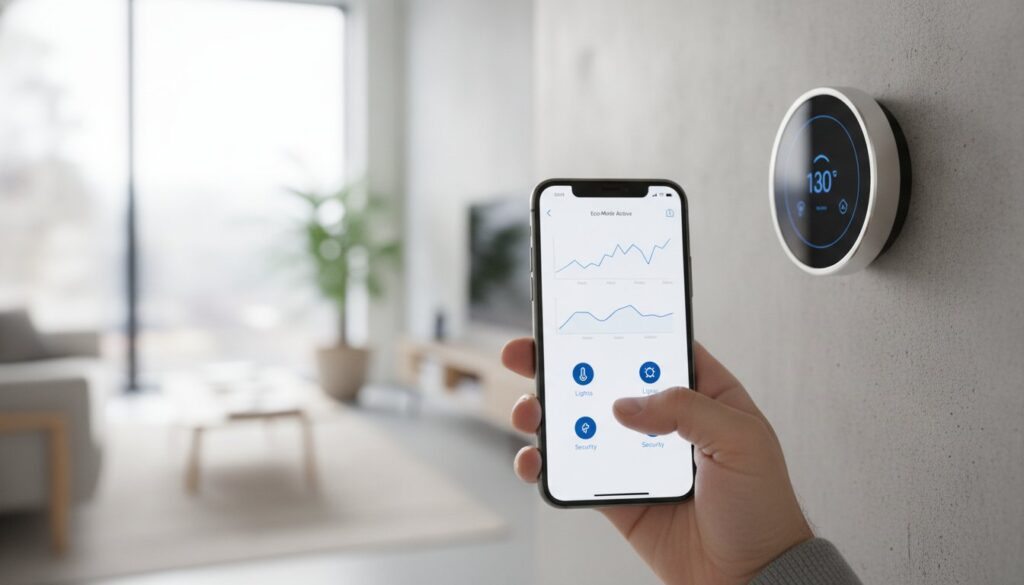
How much money did you waste last month heating an empty house or cooling a room you weren’t even using? If you’re still relying on a manual dial, you’re likely overpaying for comfort that isn’t even consistent across your home. Finding the best smart thermostat isn’t just about adding a fancy gadget to your wall. It’s a practical investment designed to eliminate those annoying cold spots and stop the thermostat wars in your household.
We understand that the fear of complex wiring or confusing apps often keeps people stuck with outdated tech. You want lower utility bills and seamless control through Alexa, Google Home, or Apple Home without needing an electrical degree to get started. This guide helps you choose from the top-rated models of 2026. We’ve analyzed the latest Matter 1.3 and 1.4 support features to show you exactly which units provide the best return on investment. SuggestMeTech provides these expert reviews and a detailed buying guide to ensure your new setup works perfectly. Once you’ve read our picks, we’d love to hear which features matter most to your family.
Key Takeaways
- Learn how modern adaptive learning models can pay for themselves in under 18 months through automated energy optimization.
- Identify the best smart thermostat for your specific home ecosystem, ensuring seamless integration with Alexa, Google Home, or Apple HomeKit.
- Master a 30-second wiring check to determine if your HVAC system requires a C-wire adapter before you start the installation process.
- Discover how to use remote room sensors to eliminate inconsistent temperatures and cold spots in multi-story houses.
- Explore local utility rebates and demand response programs that can significantly reduce your initial purchase cost or even provide ongoing credits.
Beyond Remote Control: Why You Need a Smart Thermostat in 2026
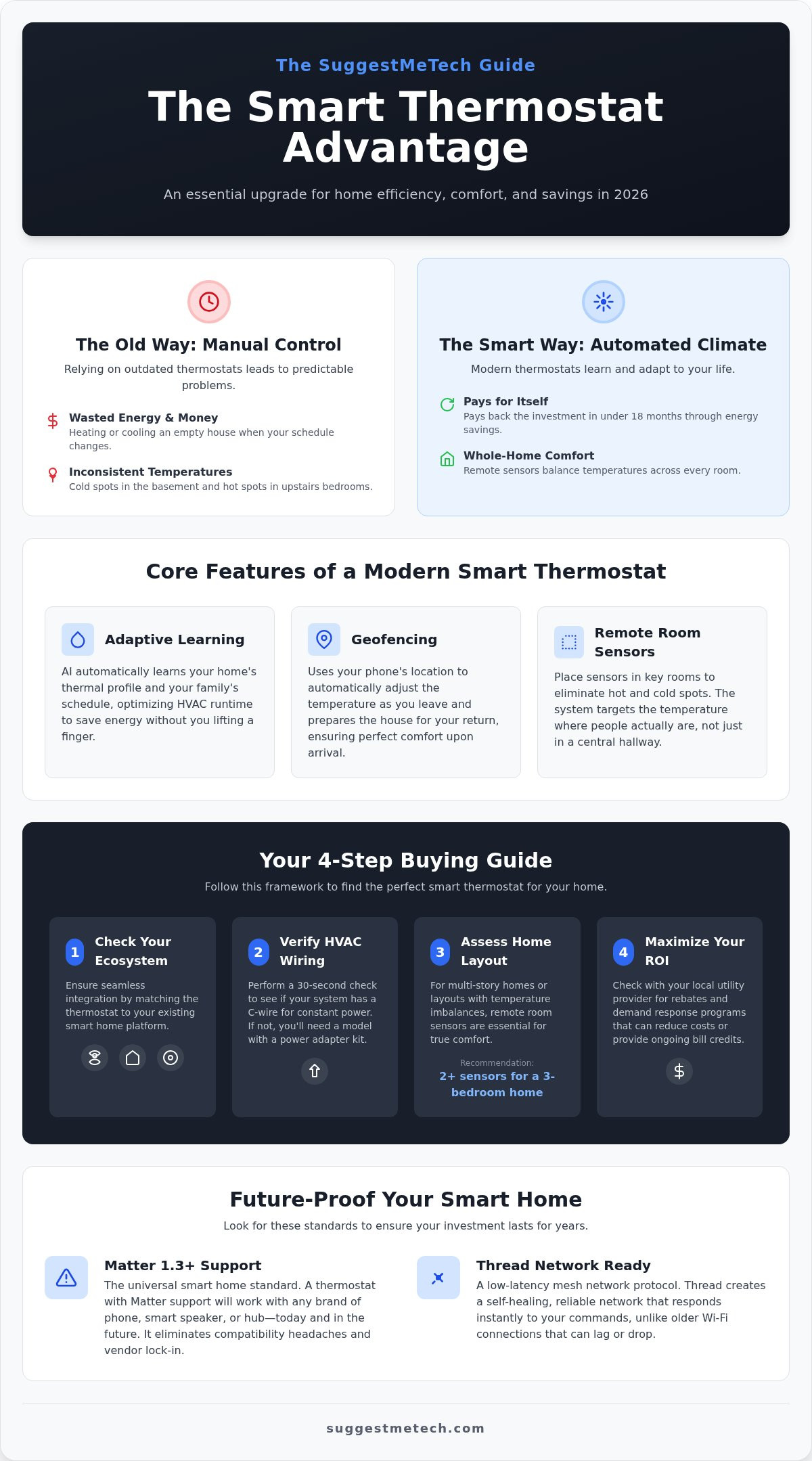
A smart thermostat is no longer a luxury gadget for tech enthusiasts. It’s a central hub for home efficiency. To understand what smart thermostats are, think of them as Wi-Fi-enabled HVAC controllers that use advanced sensors and algorithms to optimize your home’s climate. By 2026, these devices have evolved into AI-driven tools that provide a significant return on investment. Most modern units pay for themselves in under 18 months because they stop heating or cooling empty rooms. This isn’t just about saving money; it’s about reducing your home’s carbon footprint without sacrificing a single degree of comfort. Manual programming is officially obsolete.
The “set and forget” evolution means you don’t have to guess your schedule. Your home simply reacts to your presence. This proactive approach to climate control is why finding the best smart thermostat for your specific layout is the first step toward a modern home. You’ll see the impact on your utility bills almost immediately.
Smart vs. Programmable: Understanding the Difference
Old-school programmable thermostats were a step up from manual dials, but they often fail to save real money. Life is unpredictable. If you stay late at the office, a programmable unit heats an empty house for hours. The best smart thermostat models in 2026 use geofencing to track your smartphone’s location. They know when you’re five miles away and start prepping the house just in time.
Even better, modern AI learns your home’s thermal profile. This includes:
- Identifying insulation quality and hidden drafts.
- Calculating exactly how long it takes to reach a target temperature.
- Adjusting for outdoor humidity and sunlight.
This level of precision ensures your HVAC system runs for the shortest time possible to achieve the best results. It’s a smarter way to manage comfort.
The Rise of Matter and Thread in 2026
Compatibility used to be a major headache for homeowners. Now, Matter has become the universal language for smart home devices. It ensures your thermostat communicates with your lights, sensors, and security hubs regardless of the brand. You won’t be locked into a single ecosystem anymore.
Thread support is the secret sauce for zero-lag responsiveness. Unlike older Wi-Fi connections that might drop or lag, Thread creates a reliable mesh network. When you change the temperature on your phone, the wall unit reacts instantly. Buying a unit with these standards ensures it works with any future phone or hub you buy. It’s the ultimate way to future-proof your investment.
The Decision Framework: How to Evaluate the Best Smart Thermostats
Finding the best smart thermostat requires looking beyond the sleek glass front. You need a device that talks to the tech you already own. If your home runs on Apple Home, buying a unit strictly optimized for Google Home creates friction you’ll regret. Look for models that are independently certified to deliver energy savings to ensure you’re getting real ROI. In 2026, the gold standard is Matter 1.3 or 1.4 support. This universal standard ensures your thermostat works across different platforms without lag or connectivity drops. It’s the best way to future-proof your purchase while keeping your smart home responsive.
User interface matters more than you think. Some homeowners prefer high-resolution touchscreens that display current weather, indoor air quality, and energy usage stats. Others want a minimalist dial that feels like a traditional thermostat but hides advanced tech inside. If you rarely touch the wall unit and prefer smartphone control, an app-centric model might save you money on the hardware. For deeper insights into which brands offer the smoothest experience, you can check our tech comparison guides to see how these interfaces perform in daily use.
The Multi-Room Comfort Strategy
Standard thermostats measure temperature in one central hallway. This often leads to “hot spots” in upstairs bedrooms or “cold spots” in basements. Remote room sensors are mandatory for multi-story homes. They tell the system to keep running until a specific room reaches your target temperature, regardless of what the main unit sees. Occupancy sensing takes this further by only heating rooms where it detects actual movement. For a standard 3-bedroom home, we recommend starting with two additional sensors to balance the climate effectively. It’s a simple fix for a common comfort pain point that older systems simply can’t solve.
Privacy and Security Checklist
Smart homes gather significant data on your daily habits. It’s vital to know which brands process data locally versus sending everything to the cloud. Local processing is faster and keeps your private schedule off external servers. We recommend evaluating these three security pillars before you buy:
- Local Processing: Prioritize brands that handle voice commands and scheduling on the device hardware itself.
- Energy Sharing: Utility programs often offer credits if you let them adjust your temperature during peak grid hours. Always read the fine print regarding your data rights before joining.
- Security: Ensure your chosen brand requires two-factor authentication (2FA). This prevents unauthorized access to your home’s HVAC system from outside sources.
Our team values transparency, so we only recommend brands that make these security settings easy to find and manage. Protecting your home’s data is just as important as managing its temperature.
SuggestMeTech’s Top Picks: The Best Smart Thermostats for Every Home
Selecting the best smart thermostat in 2026 requires looking past the brand names of the last decade. While older flagship models still exist, they often lack the Matter 1.3 or 1.4 support necessary for long-term smart home stability. At SuggestMeTech, our comparative analysis focuses on real-world application, ensuring your choice handles everything from multi-stage HVAC systems to complex sensor networks. We’ve curated these recommendations based on specific user intents, whether you’re building a premium Apple Home setup or looking for a reliable budget fix.
Premium Performance: The Top 3 Models Reviewed
If you want the absolute best smart thermostat for a modern home, these three models lead the market in responsiveness and intelligence. They aren’t just controllers; they are proactive energy managers.
- Model A (The Design King): This unit features a high-resolution glass display and uses predictive AI to adjust your climate based on local weather forecasts. It’s the top choice for those who value aesthetics as much as performance.
- Model B (The System Diagnostic Expert): This model is a favorite for homeowners with older HVAC units. It monitors system health and sends alerts if it detects unusual power draws or cooling delays, potentially saving you from a total system failure.
- Model C (The Privacy-First Choice): Designed for the security-conscious, this unit includes a physical kill-switch for its microphone and handles all automation processing locally. It never sends your daily schedule to the cloud.
For large homes, Model B stands out because it supports up to 32 remote sensors. This ensures that every corner of a 4,000-square-foot property stays at the exact temperature you’ve requested.
Budget-Friendly Wi-Fi Thermostats
You don’t need to spend a fortune to get high-end automation. Several budget models now retail for under $100 while maintaining 2026-relevant features. However, it’s important to understand what you’re trading for that lower price point. You’ll typically lose the high-resolution touchscreens and native Thread support, relying instead on standard 2.4GHz Wi-Fi. This is perfectly fine for smaller apartments or starter homes, but it might lack the “zero-lag” feel of premium hardware.
We’ve found that the “hidden value” picks are often the previous generation’s flagship models. These units are frequently discounted but still receive firmware updates to support modern standards like Matter. When evaluating budget brands, we prioritize reliability over flashy features. A thermostat that stays connected is always better than one with a fancy screen that frequently goes offline. SuggestMeTech recommends checking for C-wire compatibility even on budget units to ensure they have a stable power source for their Wi-Fi radios.
Demystifying the C-Wire: Overcoming the Biggest Installation Hurdle
The C-wire, or “Common” wire, is the most frequent roadblock for DIY installers. While old thermostats ran on AA batteries, the best smart thermostat models in 2026 require a constant 24-volt stream of power to keep their Wi-Fi radios, AI processors, and touchscreens active. To check your system, simply pull your current thermostat off the wall and look at the backplate. If you see a wire connected to a terminal labeled “C,” you’re ready to go. If that terminal is empty, you’ll need a workaround. You can use a Power Extender Kit (PEK), which allows your existing wires to carry power more efficiently, or a plug-in power adapter for homes without accessible furnace wiring.
The 15-Minute DIY Installation Guide
Installation usually takes about 15 minutes if you’re prepared. First, locate your HVAC power switch or breaker and flip it off. Safety is non-negotiable here. Next, take a photo of your existing wiring and use the labels provided in your new kit. This “don’t skip” step prevents 90% of installation errors. If your unit doesn’t turn on after mounting, double-check that the “R” and “C” wires are fully seated in their terminals. For more hands-on help, browse our installation troubleshooting guides to see step-by-step photos of common furnace boards.
HVAC Compatibility Check
Most modern homes use low-voltage (24V) systems, which are compatible with almost every best smart thermostat pick. However, you must identify your system type before buying. If you see thick wires connected with wire nuts, you likely have a high-voltage (120V or 240V) baseboard system. These require specialized thermostats and can be dangerous to handle yourself. Additionally, proprietary systems from brands like Carrier or Trane often use “communicating” wires. These don’t play well with standard smart units without a specific manufacturer adapter. Look for these specific indicators:
- Standard Labels: R, W, Y, G, and C indicate a standard low-voltage system.
- Proprietary Labels: Terminals labeled A, B, C, D often mean you have a communicating system.
- Voltage Warnings: Any “Danger: High Voltage” stickers inside the cover mean you should stop immediately.
Knowing when to stop is just as important as knowing how to start. If you open your thermostat and see only two wires, or if your furnace board looks like a tangled nest of unlabeled connections, it’s time to call a professional electrician. Forcing a connection can fry your HVAC’s control board, turning a simple upgrade into an expensive repair bill. Our community often shares their own installation photos, so don’t hesitate to ask for a second pair of eyes if your wiring looks unique.
Beyond the Box: How to Maximize Your Smart Thermostat’s ROI
Purchasing the best smart thermostat is only the first step toward a more efficient home. The real value lies in how you leverage the software features and financial programs available after the installation is complete. These devices act as a financial guardian for your HVAC system. By monitoring airflow patterns and compressor cycles, a smart unit can alert you to minor mechanical issues before they escalate into $2,000 AC repair bills. This preventative approach, combined with automated scheduling, ensures your system runs at peak performance for years.
Beyond maintenance, your thermostat is a gateway to significant utility savings. Many homeowners ignore the “Demand Response” programs offered by local power companies. These programs provide monthly credits or annual checks in exchange for allowing the grid to make slight, temporary adjustments to your temperature during peak demand hours. It’s a hands-off way to earn money while helping stabilize the local energy infrastructure.
Finding and Claiming Your Rebate
You can often get your thermostat for free or at a steep discount by using the Energy Star rebate finder tool. Depending on your location, these incentives come in two forms:
- Instant Rebates: Applied directly at the point of sale when you buy through a utility-partnered marketplace.
- Post-Purchase Rebates: A credit applied to your utility bill after you submit a proof of purchase and serial number.
Linking your device to “Smart Pricing” plans can further lower your costs. These plans offer cheaper electricity during off-peak hours, and your thermostat can automatically pre-cool or pre-heat your home during these windows to save you money.
Smart Home Synergies
A smart thermostat works most effectively when it communicates with other technology in your home. For example, you can use geofencing to trigger your Air Purifiers the moment your thermostat detects you’re heading home. This ensures your indoor air is clean and the temperature is perfect the second you walk through the door. To keep these automations responsive, ensure your smartphone is running efficiently. Knowing how to clear cache on iPhone can prevent app lag that might delay your thermostat’s response to your location.
Finally, make it a habit to review your monthly energy reports. Opening these detailed charts on your Best Laptop gives you a clear view of your consumption trends. You might notice that your AC runs 20% longer on Tuesday afternoons, prompting you to check if a window was left open or if your smart blinds failed to close. This level of insight turns a simple wall dial into a powerful tool for long-term household savings.
Take Control of Your Home Comfort Today
Upgrading your home’s climate control is a practical move that pays off almost immediately. Selecting the best smart thermostat ensures your living space stays perfectly comfortable while AI-driven logic cuts down on wasted energy. You don’t have to settle for inconsistent room temperatures or high utility bills anymore. By focusing on models with Matter 1.3 or 1.4 certification, you guarantee your investment remains compatible with future tech updates for years to come.
Our expert reviews provide verified energy savings data and step-by-step DIY installation support to remove the anxiety of dealing with C-wires and furnace boards. We’ve done the hands-on testing so you can make a confident decision for your specific household needs. Take the next step toward a more efficient, automated household by visiting our curated lists. Check out our community-vetted Smart Thermostat recommendations on SuggestMeTech! We’re excited to hear which model you choose and how it transforms your daily routine. Your smarter, more comfortable home is just one simple upgrade away.
Frequently Asked Questions
Do smart thermostats really save money on electric bills?
Yes, most users see a reduction of about 8% on their heating and cooling costs after switching from a manual dial. These savings come from the device’s ability to lower energy use when you’re away and optimize runtimes based on outdoor weather. By 2026, AI-driven models have become efficient enough to pay for themselves in under 18 months by eliminating unnecessary HVAC cycles in empty rooms.
Can I install a smart thermostat without a C-wire?
Yes, you can use a Power Extender Kit or a 24V plug-in transformer to provide the necessary power. Many modern brands include these adapters in the box specifically for older homes with four-wire systems. While some models claim to “steal” power from other wires, we always recommend a dedicated power source to prevent your Wi-Fi connection from dropping or your HVAC board from buzzing.
What happens to my smart thermostat if the Wi-Fi goes out?
Your thermostat will continue to operate as a traditional manual controller even without an internet connection. You’ll lose remote access through your smartphone and voice assistant, but your pre-set schedules remain stored on the local hardware. Once your Wi-Fi signal returns, the unit automatically reconnects and resumes its smart features without requiring any manual intervention or a system reset.
Is a smart thermostat compatible with Alexa and Apple Home?
Most modern units support both ecosystems, especially those featuring the Matter 1.3 or 1.4 standard. These universal protocols ensure that the best smart thermostat you buy today will work seamlessly with Alexa, Google Home, and Apple Home simultaneously. Always verify the “Works with” logos on the packaging to confirm that your specific voice assistant and smart hub are supported natively.
How often should I replace my smart thermostat?
You should consider an upgrade every 10 years or when the manufacturer stops providing security firmware updates. While the physical hardware might last longer, connectivity standards like Wi-Fi and Matter evolve rapidly. If your device starts lagging during app interactions or loses compatibility with your newer smartphone, a replacement will likely improve your home’s security and overall energy efficiency.
Do I need a different thermostat for a heat pump system?
No, but you must verify that your chosen model supports multi-stage heating and reversing valves. Heat pumps require specific wiring terminals to manage auxiliary heat strips and emergency heating modes. Most premium units are designed for this flexibility. However, it’s vital to check the compatibility checker on the manufacturer’s website to ensure your specific heat pump brand is supported before you buy.
Are smart thermostats easy to hack?
They are generally secure as long as you enable two-factor authentication on your account. Reputable brands use encrypted cloud connections and increasingly rely on local processing to keep your data off the public internet. To minimize risks, keep your device’s firmware updated and avoid using weak or recycled passwords for your home Wi-Fi network or your thermostat’s manufacturer account.
Which smart thermostat is best for a multi-story house?
A model that supports multiple remote sensors is the best smart thermostat for a multi-story layout. These sensors allow the system to measure the temperature in upstairs bedrooms or basement offices rather than just a single central hallway. This setup effectively eliminates hot and cold spots by telling the HVAC system to stay active until the specific room you are currently using reaches your target temperature.

