
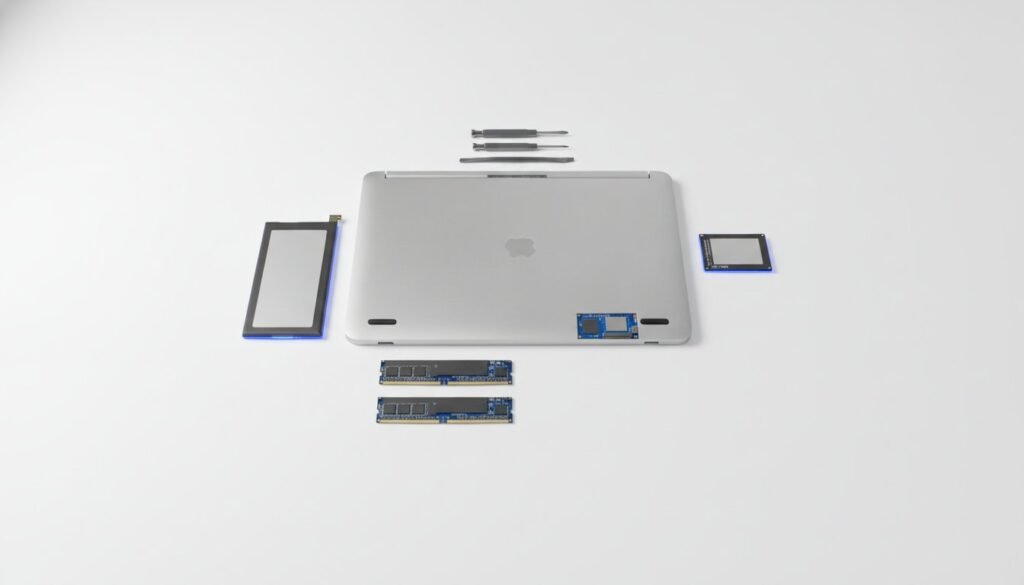
The most expensive piece of technology you’ll ever buy isn’t the one with the highest price tag; it’s the one you have to replace in twelve months. With global e-waste hitting 62 million metric tons recently, the financial and environmental cost of disposable gadgets is at an all-time high. Learning how to choose tech that won’t be obsolete next year requires moving beyond flashy specs to evaluate long-term support and repairability.
You’ve likely experienced the frustration of a perfectly good device becoming a paperweight because of a discontinued app or a locked ecosystem. At SuggestMeTech, we believe your gear should work for you, not the other way around. This guide provides a master framework for identifying durable, future-ready technology that remains functional well into the decade, examining software support windows and the impact of 2026 Right to Repair laws.
Quick Answer
To master how to choose tech that won’t be obsolete next year, prioritize hardware with high repairability scores and open standards. Seek devices with at least five years of guaranteed software updates and modular components. By focusing on products that comply with 2026 Right to Repair mandates, you ensure your technology remains functional, fixable, and supported for years.
Key Takeaways
- Identify hardware with modular components and high repairability scores to ensure you can replace individual parts rather than the whole device.
- Prioritize software support windows over raw hardware specs, as a device is only as useful as the security and feature updates it receives.
- Learn how to choose tech that won’t be obsolete next year by applying a 5-point longevity score that evaluates repairability, software lifecycles, and open standards.
- Avoid proprietary lock-in by selecting ecosystems that support cross-platform functionality and industry-standard protocols.
- Time your high-ticket purchases around manufacturer release cycles to maximize the window of official support and resale value.
Understanding the Mechanics of Technology Obsolescence
Future-proofing is the practice of selecting technology with extended utility and manufacturer support. It involves looking past marketing hype to identify hardware that remains functional and secure as software demands increase. To master how to choose tech that won’t be obsolete next year, you must understand that longevity is a technical specification, not a lucky accident.
We distinguish between functional obsolescence, where a device physically fails or loses software support, and aesthetic obsolescence, which occurs when a device simply looks dated. While the tech industry relies on the latter to drive annual upgrades, savvy buyers focus on the former. Real value lies in hardware that performs its core tasks reliably for four to six years, regardless of its physical appearance.
Planned vs. Functional Obsolescence
Manufacturers frequently use software as a tool to phase out perfectly capable hardware. This strategy, often categorized under planned obsolescence, creates artificial barriers to entry for new operating systems or features. For example, many laptops with powerful processors are now technically obsolete because they lack specific security modules required by current software standards.
- Software Walls: Check if a device’s operating system has a history of supporting hardware older than five years.
- Battery Health: Functional lifespan is often tied to the battery. Choose devices with user-replaceable batteries to extend utility.
- Firmware Support: Research the manufacturer’s commitment to security patches, as a device without updates is a liability.
The AI Shift: Why 2026 is a Turning Point
In 2026, the arrival of integrated Neural Processing Units (NPUs) has fundamentally changed how we evaluate hardware lifecycles. Understanding how to choose tech that won’t be obsolete next year now requires looking at AI performance alongside traditional speed. If a device lacks the headroom to run next-generation LLMs locally, it may struggle with basic productivity tasks within twenty-four months.
To ensure your purchase stays relevant, look for these minimum viable specs for the current year:
- NPU Performance: Aim for hardware delivering at least 40 TOPS (Tera Operations Per Second) to handle on-device AI tasks.
- Unified Memory: 16GB is the new baseline for AI-integrated systems; 8GB is a recipe for immediate obsolescence.
- Connectivity: Ensure support for Wi-Fi 7 to maintain high-speed access to cloud-based AI services which often supplement local hardware.
Prioritizing Hardware Longevity and Repairability
The physical build of a device determines whether it survives a minor drop or a standard component failure. When researching how to choose tech that won’t be obsolete next year, the chassis material is just as critical as the internal processor. Metal frames, specifically aluminum or magnesium alloy, offer superior heat dissipation and structural integrity compared to plastic alternatives. These materials prevent the internal warping that often leads to motherboard failure over time.
The “all-in-one” design trend has made modern devices thinner, but it’s often the enemy of longevity. Soldered components mean that if a single memory module fails, the entire machine is effectively dead. To avoid this, look for hardware that prioritizes accessibility and standardized parts. This approach allows for targeted fixes rather than total replacements.
The Modular Advantage
Modularity is the antithesis of disposable tech. In our guide to the best laptops of 2026, we highlight models that allow users to swap out RAM and storage easily. This capability lets you start with a budget-friendly configuration and upgrade as your needs grow without discarding the entire system.
- Internal Expansion: Look for devices with extra M.2 slots or SODIMM slots for memory.
- Replaceable Batteries: Ensure the battery isn’t glued in, allowing for a 15-minute swap after two years of use.
- Standardized Ports: Prioritize USB-C and other non-proprietary connections to ensure cable compatibility for years.
User-replaceable batteries are a vital factor. Lithium-ion batteries naturally degrade after 300 to 500 charge cycles. If you can’t swap the battery, your $1,000 smartphone becomes tethered to a wall outlet within two years. Choosing devices with easy-access internal slots ensures you don’t have to replace the whole unit just because you need more space for new AI software.
Decoding Repairability Scores
Independent repairability scores are a powerful tool for any buyer. These 1-10 rankings evaluate how difficult it is to open a device, the availability of spare parts, and the complexity of common fixes. Learning how to choose tech that won’t be obsolete next year involves verifying that a manufacturer doesn’t use proprietary screws or permanent adhesives to block repairs. A high score suggests that a local shop can handle repairs, keeping maintenance costs low.
The legal landscape is shifting in favor of the consumer. Recent Right to Repair legislation in eight US states now mandates that manufacturers provide parts and tools to the public. In Texas, a comprehensive repair law took effect on September 1, 2026, joining states like California and New York in protecting buyer rights. By July 31, 2026, the European Union’s Right to Repair Directive also required reasonable pricing for spare parts. Checking these scores before you buy is a practical way to ensure your tech remains fixable. If you’re unsure where to start, browse our latest expert-led reviews to see which brands lead the pack in durability.
Software Support and the Ecosystem Trap
While raw processing power is often the headline feature, software support is the true engine of longevity. A device with top-tier hardware becomes a security risk the moment its manufacturer stops providing patches. When researching how to choose tech that won’t be obsolete next year, the “End of Life” (EOL) policy is your most valuable metric. In 2026, we’re seeing major shifts, such as Microsoft Office 2021 and Office LTSC 2021 ending support on October 13, forcing users to evaluate their dependence on specific software versions.
Ecosystem lock-in remains a primary driver of premature disposal. If your smart home or mobile devices only communicate through a single manufacturer’s server, you’re vulnerable to their corporate pivots. This cycle contributes heavily to the global crisis, making sustainable e-waste management a priority for conscious consumers. Selecting tech that embraces cross-platform utility ensures your gear outlasts any single company’s roadmap.
Open vs. Closed Ecosystems
Walled gardens offer seamless integration but create a proprietary trap. If a brand decides to discontinue a cloud service, your hardware might lose its “smart” features overnight. To avoid this, prioritize devices using open standards like Matter and Thread for smart homes. These protocols ensure that your light bulbs, thermostats, and sensors can talk to any hub, regardless of the brand on the box.
This logic extends to personal audio and wearables. When choosing headphones, look for support for universal codecs like LDAC or aptX rather than proprietary connection methods. This flexibility ensures your audio gear remains compatible with various devices even as you switch phone or laptop brands over the years.
Guaranteed Update Windows
The industry baseline for support is changing rapidly. Leading smartphone manufacturers now offer seven years of guaranteed security updates, while others still trail at three. Security updates are the non-negotiable floor; without them, your device shouldn’t be used for banking or sensitive work. Check the specific EOL date for any product before purchase to calculate its true cost per year of utility.
- 7-Year Promises: Best for users who want to keep a single device for the long haul.
- Security-Only Phases: Understand that feature updates usually stop before security patches do.
- Legacy Support: Be wary of products like SQL Server 2016, which sees mainstream support end on July 14, 2026.
Choosing tech with a clear support roadmap protects your investment from becoming a digital paperweight. It’s better to buy a mid-range device with five years of support than a flagship with only two.
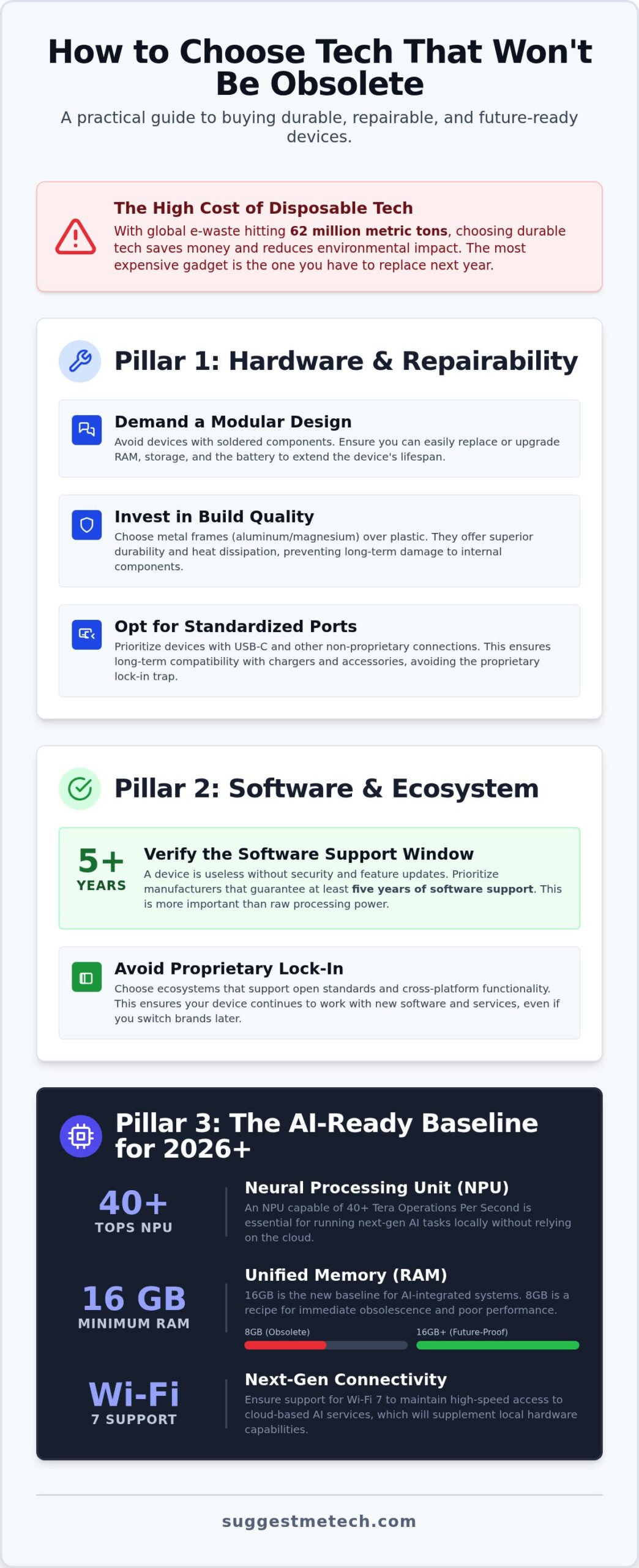
Future-Proofing Your Digital Infrastructure
Digital longevity isn’t just about the physical hardware on your desk. It extends to the invisible services and protocols that power your daily workflow. To master how to choose tech that won’t be obsolete next year, you must evaluate the scalability of your digital foundations. If a service doesn’t allow you to grow or move your data freely, it’s a temporary solution that will eventually cost more to replace than it’s worth.
Scalability ensures that your digital tools can handle increased traffic or more complex tasks without requiring a total migration. This is especially true for your web presence. We’ve analyzed the best web hosting providers and found that those offering easy transitions from shared to VPS environments provide the best long-term value. Avoid services that lock you into proprietary builders with no export options.
Choosing Scalable Web Services
Shared hosting is often the first thing people outgrow. While it’s budget-friendly, it lacks the dedicated resources needed for modern, AI-heavy web applications. Moving to a Virtual Private Server (VPS) or Cloud hosting provides the “headroom” mentioned earlier in this guide. This flexibility allows you to scale resources up or down based on real-time demand as your project expands.
- API Support: Ensure your software has robust API capabilities to integrate with future tools and services.
- Data Portability: Always verify that you can export your entire database in a standard format like SQL or JSON if you need to switch providers.
- Domain Control: Understanding what is a domain name is the first step in owning your digital identity. Never let a third-party service hold your domain hostage.
Standardized Connectivity and Ports
Connectivity standards are the bridges between your devices. In 2026, USB-C has become the universal standard for everything from high-speed data transfer to power delivery. Avoid any new purchase that relies on proprietary charging pins or older USB-A ports. These legacy connections are rapidly disappearing from modern hubs and workstations, making them a liability for future compatibility.
Wireless standards are equally important for a modern setup. Wi-Fi 7 is now the baseline for high-performance networking, offering the low latency required for real-time AI processing and cloud computing. While Wi-Fi 6E is still functional, Wi-Fi 7 hardware is a better investment for anyone building a home office meant to last five years. Finally, ensure your new gear supports FIDO/Passkey standards. As we move into a post-password era, hardware-level security is essential for maintaining access to your digital accounts. To build a setup that truly lasts, explore our curated tech guides for more expert recommendations.
The SuggestMeTech Framework for Future-Ready Purchases
Buying gear that lasts requires a shift in mindset. Instead of chasing the latest leaks, you should evaluate every purchase through a standardized framework. We developed the Longevity Score to help our community rank products based on their expected lifespan rather than their marketing budget. Learning how to choose tech that won’t be obsolete next year is simpler when you apply a consistent set of rules to every high-ticket item.
The “Second-Best Rule” is a cornerstone of this approach. While flagship “Ultra” models often debut experimental features, the tier just below them usually benefits from refined, stable technology. Experimental hardware is more likely to lose support early as manufacturers pivot to better implementations. Choosing the proven, second-tier option often results in a device that remains functional for several additional years.
Timing the Market
Patience is a technical specification. Every major manufacturer follows a predictable release cycle, usually refreshing their lineup every 12 to 24 months. Buying a device in the final quarter of its lifecycle is a guaranteed way to see it become “old” within weeks. Always check the release history before you commit.
- Avoid Generation 1: First-generation products are essentially paid beta tests. They often lack the hardware headroom for future software updates.
- The Sweet Spot: Generation 2 or 3 hardware usually addresses the flaws of the original while maintaining the same support window.
- Refurbished Value: Buying a late-cycle “Generation 3” product refurbished can offer better longevity than a brand-new “Generation 1” device.
The Longevity Checklist
Before you hit the buy button, run your choice through this final checklist. If a product fails more than one of these points, it’s a high-risk purchase for anyone wanting to avoid obsolescence. This framework ensures you’re making an informed decision based on real-world utility.
- Serviceability: Can the battery be replaced without specialized heat guns or destructive prying? Battery failure shouldn’t mean device death.
- Universal Standards: Does it use USB-C, Wi-Fi 7, and open protocols like Matter? Avoid proprietary connectors at all costs.
- Software Guarantee: Does the manufacturer commit to at least five years of security patches in writing? Don’t rely on “expected” support.
- Hardware Headroom: Is the machine slightly over-specced for your current needs? Aim for 16GB of RAM and at least 40 TOPS of NPU performance to handle future AI demands.
By following this checklist, you move from being a passive consumer to an active evaluator. We invite you to share your own longevity tips with our community as we navigate the rapidly evolving 2026 tech landscape together.
Building a Sustainable Tech Ecosystem
Choosing tech with modular hardware and guaranteed security updates isn’t just about saving money; it’s about reclaiming control over your digital life. By prioritizing repairability scores and open standards like Matter or Wi-Fi 7, you ensure your devices remain functional as the industry evolves. Mastering how to choose tech that won’t be obsolete next year allows you to break the cycle of forced upgrades and planned obsolescence once and for all.
We’re here to help you navigate these complex decisions with confidence. Our team provides unbiased comparative analysis and real-world testing in 2026 environments to help you identify the gear that actually delivers on its longevity promises. If you’re ready to make your next big purchase, check out our expert reviews to find your next future-proof device. We categorize recommendations by user intent and professional requirements to ensure you find exactly what you need.
Making a smart purchase today sets the foundation for a more productive and less stressful digital future. You now have the framework to identify durable technology; it’s time to build a setup that truly lasts.
Frequently Asked Questions
What is the most future-proof laptop in 2026?
The most future-proof laptops in 2026 are those featuring modular designs and at least 40 TOPS of NPU performance. Brands that allow you to swap the motherboard or upgrade RAM ensure the chassis lasts a decade. When researching how to choose tech that won’t be obsolete next year, look for devices with high repairability scores. SuggestMeTech provides detailed comparisons of these modular systems to help you find a machine that grows with your needs.
How many years should a smartphone last before it is considered obsolete?
A flagship smartphone should last between five and seven years before it becomes functionally obsolete. This window is determined by the manufacturer’s security update commitment rather than the physical hardware speed. Once security patches end, your device is a liability for banking and sensitive data. Look for brands that have publicly committed to 7-year support windows to maximize your investment and reduce the frequency of expensive hardware replacements.
Is it better to buy mid-range tech more often or high-end tech less frequently?
Investing in high-end tech less frequently is generally more cost-effective if the device has a high repairability score. Premium materials like aluminum and magnesium alloy withstand physical wear better than plastic mid-range alternatives. However, a mid-range device with a seven-year update promise can be a better value than a high-end “Generation 1” product. Balance your budget by prioritizing devices that offer the longest guaranteed software support rather than just the fastest processor.
Does a higher price always mean better future-proofing?
A higher price tag doesn’t guarantee longevity; it often covers marketing costs or experimental features. Some expensive gadgets use proprietary parts that are impossible to repair once the warranty expires. True future-proofing comes from standardized components and long-term software roadmaps. You should evaluate the cost per year of supported use rather than the total sticker price. Often, a well-supported mid-tier product outlasts a luxury device with a closed ecosystem.
How do I check if a web hosting provider is future-proof?
To ensure a web hosting provider is future-proof, check for seamless scalability and robust data portability options. A provider should allow you to move from shared hosting to a VPS or Cloud environment without a total site migration. At SuggestMeTech, we recommend providers that offer full API access and standardized backup formats. This flexibility ensures you can move your digital infrastructure if the service quality declines or your traffic levels spike unexpectedly.
What ports should I look for to ensure my peripherals stay relevant?
USB-C is the essential port for any peripheral to stay relevant through the end of the decade. It handles power, data, and video signals, replacing several legacy connectors. Additionally, look for hardware that supports Wi-Fi 7 and Bluetooth 5.4 to maintain high-speed wireless connectivity. Avoiding proprietary ports is a key part of how to choose tech that won’t be obsolete next year, as universal standards ensure your accessories work across multiple device generations.
Is AI hardware going to make my current computer obsolete next year?
AI hardware won’t necessarily make your computer obsolete for basic tasks, but it will change how you use local software. On-device AI requires a Neural Processing Unit (NPU) with at least 40 TOPS of performance for real-time tasks. If your current machine lacks this, you’ll rely more on cloud-based AI services. While this keeps your hardware functional, local AI integration offers better privacy and speed, making NPU-equipped hardware the smarter long-term choice.
What should I do with my tech once it actually becomes obsolete?
When tech reaches the end of its supported life, prioritize sustainable e-waste management through certified recycling programs. Many manufacturers now offer trade-in credits even for older devices to recover valuable raw materials like gold and copper. Alternatively, you can repurpose old laptops as dedicated home servers or media centers for light tasks. This approach keeps heavy metals out of landfills and extends the utility of the hardware in a non-critical, offline environment.

