
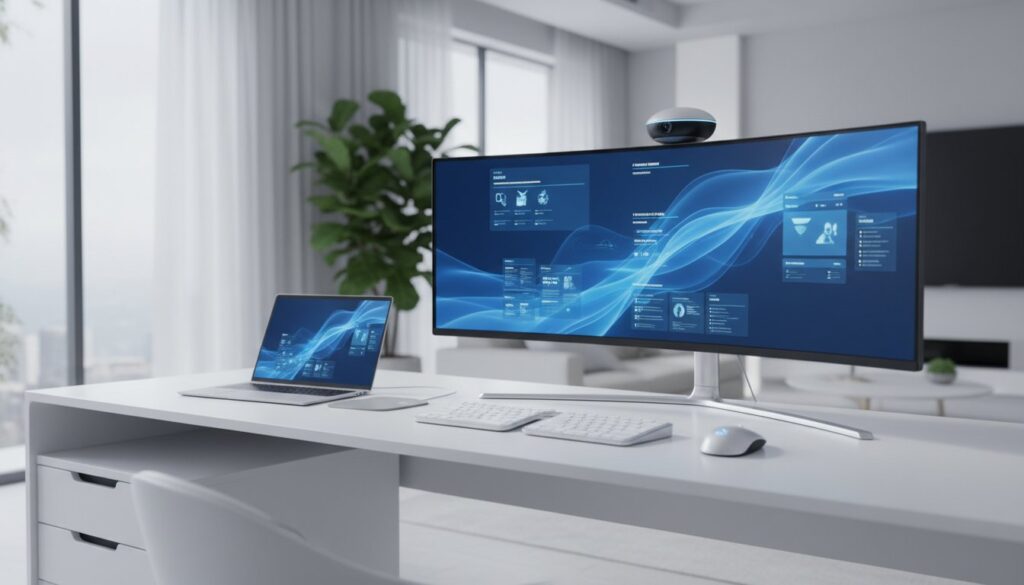
Did you know that 98% of workers now want to work remotely at least part-time, yet many are still struggling with setups that feel more like a burden than a benefit? If you’re dealing with a cluttered desk, nagging back pain, or Wi-Fi that drops right when you’re about to speak in a meeting, you aren’t alone. It’s frustrating when your tools hold you back instead of helping you get things done. Finding the best tech for a home office setup is no longer just about buying a laptop; it’s about building a curated ecosystem that supports your health and your professional image.
This guide will show you how to upgrade your workspace with hardware and accessories that prioritize ergonomics and high-speed performance. You’ll learn how to eliminate distractions and create a professional environment that looks great on video calls. We’ll walk you through the latest essentials for 2026, including Wi-Fi 8 routers for rock-solid connections, the MacBook Air with the M5 chip, and AI-powered tools like the Logitech MX Brio webcam. It’s time to turn your home office into a place where you can actually focus and thrive.
Key Takeaways
- Learn how to future-proof your connectivity with Wi-Fi 8 and choose the right high-performance hardware to anchor your workflow.
- Discover the ergonomic benefits of ultra-wide monitor configurations and tactile keyboards for reducing physical fatigue during long workdays.
- Identify the environmental tools, such as noise-canceling audio and circadian lighting, that improve your professional presence and mental focus.
- Find the best tech for a home office setup that balances high-end performance with a clean, cable-free aesthetic.
- Compare tailored setup profiles to determine exactly which hardware matches your specific professional needs and budget.
Essential Tech for a Productive Home Office in 2026
The modern workspace has evolved far beyond a laptop on a kitchen table. In 2026, the home office is a hybrid-first, high-bandwidth environment designed for deep work and seamless collaboration. With 52% of remote-capable employees now working in hybrid roles, your setup must bridge the gap between home and the corporate office without missing a beat. Building the best tech for a home office setup starts with viewing your desk as a performance hub rather than just a piece of furniture. It’s about creating a space where your tools fade into the background so your work can take center stage.
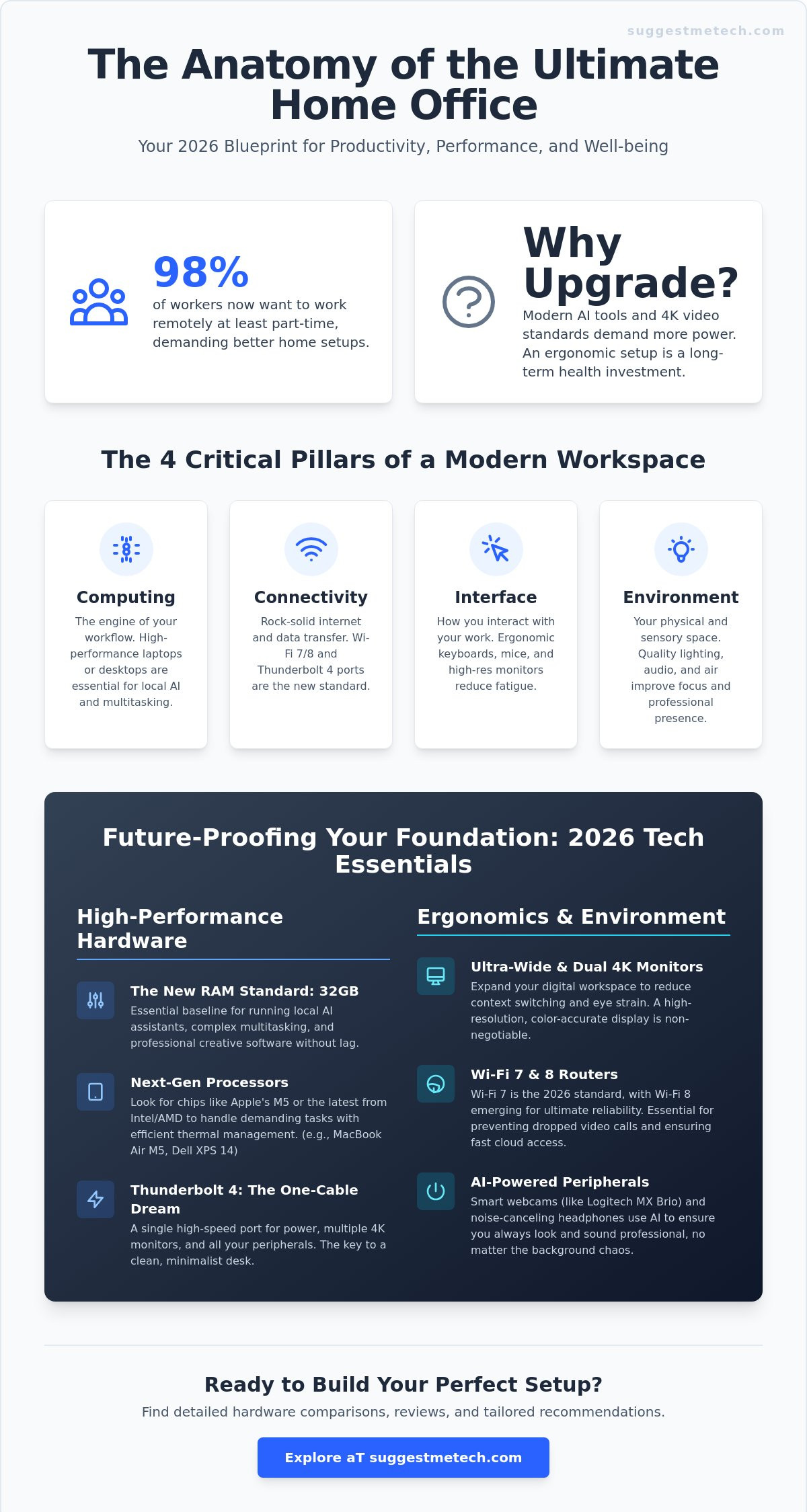
Success in this environment relies on four critical pillars: Computing, Connectivity, Interface, and Environment. Each pillar must be future-proof to handle the increasing demands of digital work. For example, Wi-Fi 7 has become the standard with 1.1 billion device shipments projected for 2026, while the first Wi-Fi 8 products are hitting the market this summer to prioritize reliability during critical calls. High-speed ports like Thunderbolt 4 are equally vital, ensuring your “brain” can handle the massive data flow required for modern Small office/home office tasks. When these elements work together, you spend less time troubleshooting and more time producing.
Why Your Home Office Tech Needs an Upgrade Now
AI isn’t just in the cloud anymore; it’s living on your desk. Modern workflows now require significant local processing power to run AI assistants and real-time background noise cancellation. If your computer lags during a screen share, it’s a sign your hardware can’t keep up with the 4K video standards that are now the professional baseline. Beyond performance, an upgrade is a health investment. “Temporary” setups from years ago are often the root cause of chronic back pain and eye strain. Transitioning to ergonomic, high-performance gear isn’t a luxury. It’s a requirement for staying productive in a competitive market.
The Core Categories of a Modern Workspace
To build a professional environment, you need to address three specific areas of hardware:
- Primary Computing: This is your engine. Whether it’s a MacBook Air with the M5 chip for portability or a high-end Windows laptop for specialized tasks, your computer must handle multi-tasking without overheating.
- Visual and Tactile Interfaces: This includes high-resolution monitors, such as ultra-wide or dual-4K displays, and responsive peripherals like mechanical keyboards and precision mice that reduce repetitive strain.
- Environmental Factors: Often overlooked, these include smart circadian lighting to maintain focus and acoustic tools like ANC headphones to block out household noise.
By focusing on these categories, you create a space that feels professional and functions efficiently. You don’t need every gadget on the market, but you do need tools that are reliable and tailored to your specific daily tasks.
The Foundation: High-Performance Computing and Connectivity
The engine of your productivity is the hardware you choose. While a basic computer might have sufficed a few years ago, the demands of 2026 require more robust internals. Choosing between a laptop and a desktop depends on your need for mobility. If you value flexibility, the best laptops of 2026 now offer processing power that rivals many traditional towers. For most professionals, a high-performance laptop paired with a high-speed docking station is the best tech for a home office setup. This combination allows for a “one-cable” dream where a single Thunderbolt 4 connection handles your power, multiple monitors, and peripherals instantly.
Choosing the Right Laptop or Desktop
Your job role should dictate your specs. Admin and management tasks thrive on efficiency, but creative or technical roles require heavy lifting. In 2026, 32GB of RAM has become the standard baseline for anyone using local AI tools or running complex multi-tasking workflows. Machines like the MacBook Air with the M5 chip or the 2026 Dell XPS 14 provide the necessary thermal management to stay quiet during intense sessions. While you focus on internal power, don’t forget your physical health. Integrating your computer into an ergonomic workstation setup ensures you remain comfortable during long sprints. If you’re unsure which processor fits your workflow, you can explore our detailed hardware comparisons to find your match.
Eliminating Lag with Advanced Networking
Unreliable internet is the ultimate productivity killer during critical meetings. Wi-Fi 7 is now a non-negotiable requirement for home offices, with over 1.1 billion devices supporting the standard this year. For those in larger homes, a mesh Wi-Fi system is superior to a single router because it eliminates dead zones. If you’re building a setup this summer, look for new Wi-Fi 8 hardware which prioritizes connection reliability and lower latency over raw speed.
For the most stable connection, use a wired Ethernet backhaul for your primary workstation. This bypasses wireless interference entirely. Security is the final piece of the networking puzzle. As remote work becomes permanent, your home router needs a dedicated hardware firewall to protect sensitive professional data. A secure, high-bandwidth connection ensures that your 4K video calls and cloud-based AI tools run without a single hiccup. This technical foundation is what transforms a simple desk into a professional-grade performance hub.
Ergonomic Interfaces: Monitors, Keyboards, and Mice
Your computing power matters, but the way you interact with that power determines your daily comfort. If you’ve ever ended a day with a stiff neck or a throbbing wrist, your interface is likely the culprit. The best tech for a home office setup focuses on these physical touchpoints to ensure your body doesn’t pay the price for your productivity. Moving beyond basic peripherals to specialized tools like monitor arms and vertical mice can reclaim your desk space and protect your long-term health. It’s about creating a frictionless connection between your intentions and your digital output.
Visual Productivity: Picking the Perfect Monitor
The debate between dual-4K monitors and a single 34-inch ultra-wide often comes down to your specific workflow. Ultra-wide screens excel for timeline-based work and large spreadsheets because they eliminate the bezel in the middle. For text-heavy tasks, resolution is king. A high refresh rate, specifically 90Hz or higher, is equally important because it reduces the micro-stuttering that causes eye strain. When choosing a panel, IPS remains the gold standard for text clarity and color accuracy in bright rooms. OLED offers incredible contrast, but some users find the sub-pixel layout less sharp for reading long documents. Following ergonomic home office guidelines by positioning the top of your screen at eye level is the easiest way to prevent neck fatigue.
Input Comfort: Keyboards and Mice
Mechanical keyboards are no longer just for gamers. They provide tactile feedback that helps you type more accurately and with less force than mushy membrane keys. If you work in a shared home, look for “silent” switches that offer the feel of a mechanical board without the loud clicking. Customizable macro keys are another game-changer, allowing you to automate repetitive software commands with a single press. For those looking for a dedicated ergonomic solution, the HP 960 Ergonomic Wireless Keyboard is a strong 2026 contender, priced around $74.99 at many retailers.
Your mouse choice is just as critical for long-term health. Standard mice force your forearm into an unnatural, twisted position. Vertical mice and trackballs keep your hand in a “handshake” position, which significantly reduces the risk of Carpal Tunnel Syndrome. These tools are essential components of the best tech for a home office setup because they address the repetitive strain that builds up over months of remote work. To maximize your desk space, consider mounting your displays on adjustable monitor arms. This lifts the screens off the desk, giving you more room for a clean, focused environment while allowing for instant height adjustments.
Enhancing the Environment: Audio, Lighting, and Air Quality
Audio Solutions for Focus and Calls
Background noise is the fastest way to lose your professional edge during a meeting. High-quality headphones with Active Noise Cancellation (ANC) are essential for blocking out household distractions. Unlike passive isolation, ANC uses internal microphones to cancel out low-frequency sounds like air conditioners or distant traffic. For those who spend hours on video calls, a dedicated USB microphone like the Shure SM7dB provides a far more professional presence than a standard headset mic. Software-based noise suppression has also reached new heights in 2026, allowing you to filter out unexpected sounds like doorbells or barking dogs in real-time.
Lighting and Air: The Invisible Productivity Boosters
Lighting shouldn’t just be bright; it should be smart. Using circadian-rhythm-aware bulbs helps boost focus by mimicking natural daylight in the morning and shifting to warmer tones in the afternoon. The Dyson Solarcycle Morph Desk Lamp, priced at $499.99, is a top-tier example of tech that adjusts its output based on your local daylight. If you suffer from screen glare, a monitor light bar is a space-saving alternative to traditional lamps. It illuminates your desk without reflecting off your display, which reduces eye strain significantly.
Air quality is another hidden factor in cognitive health. HEPA-equipped air purifiers remove allergens and fine particles that can lead to afternoon brain fog. You can even use smart sensors to automate these environmental factors, ensuring your office stays at the optimal temperature and CO2 level throughout the day. Integrating these environmental tools is a key part of finding the best tech for a home office setup that supports your long-term wellness. As you optimize your physical space, don’t forget your digital maintenance. Knowing how to clear cache on iPhone ensures your mobile workspace stays as fast as your desktop setup. For a deeper dive into specific hardware recommendations, see our curated tech reviews to build your perfect workspace.
Choosing Your Setup: Profiles for Every Remote Worker
Your job title and daily habits should dictate your hardware choices. One size doesn’t fit all when you’re building the best tech for a home office setup. Instead of buying every gadget on the market, focus on how your tools interact as a single, efficient ecosystem. Identifying which profile fits your workflow allows you to allocate your budget where it actually impacts your performance. Whether you’re a data scientist or a freelance writer, your tech stack should be a direct reflection of your professional needs.
- The Minimalist: This profile prioritizes a clean aesthetic and mental clarity. Use a single Thunderbolt 4 cable to connect your laptop to a docking station, keeping your desk free from clutter. A high-quality laptop stand and wireless peripherals are your best friends.
- The Power User: If you handle massive datasets or local AI models, you need maximum processing power. Focus on 64GB of RAM and a high-bandwidth Wi-Fi 8 connection to prevent bottlenecks during intensive tasks.
- The Creative: Color accuracy is your priority. Look for IPS Black or OLED panels that offer 100% sRGB coverage. Pair these with specialized input devices like macro pads for editing shortcuts and high-precision trackpads.
- The Budget-Conscious: You don’t need the most expensive version of everything. Splurge on an ergonomic chair and a high-resolution monitor. You can save money by choosing a high-quality 1080p webcam instead of a 4K model and using wired peripherals.
Building Your Personal Tech Stack
Building a professional workspace is a marathon, not a sprint. You shouldn’t try to buy a fully-loaded office in a single day. Start with a capable laptop and expand your ecosystem based on your most frequent pain points. If you’re struggling with focus, invest in ANC headphones next. If your back hurts, the chair is your priority. We’d love to hear about your journey. Which piece of tech transformed your productivity this year? Share your setup with our community in the comments below so we can learn from your experience.
Maintenance and Longevity
Even the best hardware fails without proper care. Cable management tech, like under-desk trays and braided sleeves, prevents your workspace from becoming a tangled mess and reduces dust buildup. Make it a habit to check for firmware updates once a month to keep your 2026 gear running at peak efficiency. Regular physical cleaning, such as using compressed air for your mechanical keyboard and microfiber cloths for your screens, extends the life of your investment. A professional office isn’t just about what you buy; it’s about how you maintain the tools that support your career. Follow this final checklist to ensure you’re ready for the work week:
- Test your Wi-Fi signal strength at your desk.
- Adjust your monitor height to eye level.
- Verify your backup power or surge protection is active.
- Clear your digital clutter and update your primary software.
Upgrade Your Workspace for Success
Building a workspace that actually works for you is an investment in both your career and your well-being. You’ve seen how the right foundation, from high-performance computing to ergonomic interfaces, eliminates the friction in your daily routine. By focusing on the four pillars of a modern setup, you ensure your environment supports your focus rather than draining it. Whether you’re upgrading your connectivity to Wi-Fi 8 or finally switching to a vertical mouse, every small change brings you closer to a more professional day.
Finding the best tech for a home office setup shouldn’t be a guessing game. You deserve tools that are reliable and tailored to your specific professional needs. We’re here to help you navigate the latest hardware with expert-tested hardware guides and a focus on real-world applications. Our community-driven tech recommendations ensure you get advice that works in practice, not just on paper.
Build your dream office with SuggestMeTech’s curated reviews. Your perfect workspace is within reach, and it’s time to make it a reality.
Frequently Asked Questions
What is the single most important piece of tech for a home office?
The computer is the most critical component because it acts as the central hub for all your tasks. In 2026, your machine needs to handle local AI processing and 4K video streams simultaneously. Without a reliable “brain,” even the most expensive accessories won’t save your productivity. It’s the foundation that everything else relies on to function correctly.
Are standing desks worth the investment in 2026?
Standing desks remain a vital investment for maintaining physical health during long shifts. Models like the Branch Duo Standing Desk, which starts around $499, allow you to alternate between sitting and standing to improve circulation. This movement helps prevent the chronic back pain often associated with sedentary remote work. It’s a simple way to keep your energy levels high throughout the day.
Do I really need a Wi-Fi 7 router for working from home?
A Wi-Fi 7 router is essential for anyone dealing with high-bandwidth tasks or frequent video calls. With 1.1 billion Wi-Fi 7 devices expected in 2026, this standard is no longer a luxury. It provides the stability you need to avoid lagging during critical presentations or large file transfers. If you want to future-proof your connection, this is the current standard to meet.
How many monitors do I need for maximum productivity?
Most professionals find that a dual-4K monitor setup or a single 34-inch ultra-wide provides the best balance of screen real estate. Two screens allow you to keep your primary work centered while monitoring communications on the side. This is often cited as the best tech for a home office setup for those handling complex, multi-window workflows.
What is the best way to hide cables in a home office setup?
Cable trays mounted under your desk are the most effective way to hide messy wires. Pair these with braided sleeves and magnetic clips to keep your “one-cable” setup looking professional. A clean workspace reduces visual distractions and makes it much easier to clean your desk. It turns a cluttered environment into a streamlined performance hub.
Is a dedicated microphone better than a high-end headset for Zoom?
A dedicated USB microphone provides significantly better audio quality and background noise rejection than most high-end headsets. If your role involves frequent client-facing calls or presentations, tools like the Shure SM7dB ensure you sound authoritative. This small change makes a massive difference in how you’re perceived on Zoom. It’s an easy way to boost your professional presence.
How can I make my home office setup more ergonomic on a budget?
You can improve your ergonomics by simply raising your laptop to eye level with a stand and using a separate keyboard. The HP 960 Ergonomic Wireless Keyboard, often available for around $74.99, is a cost-effective way to reduce wrist strain. Proper positioning of your current gear is more important than having the most expensive equipment. Focus on your posture first.
What tech helps with eye strain during long work hours?
High refresh rate monitors and monitor light bars are the most effective tech for reducing eye strain. A light bar like the Dyson Solarcycle Morph illuminates your workspace without creating reflections on your screen. This setup helps you stay comfortable during long hours, making it a key part of the best tech for a home office setup. It allows you to focus longer without the typical afternoon fatigue.

